In This Article
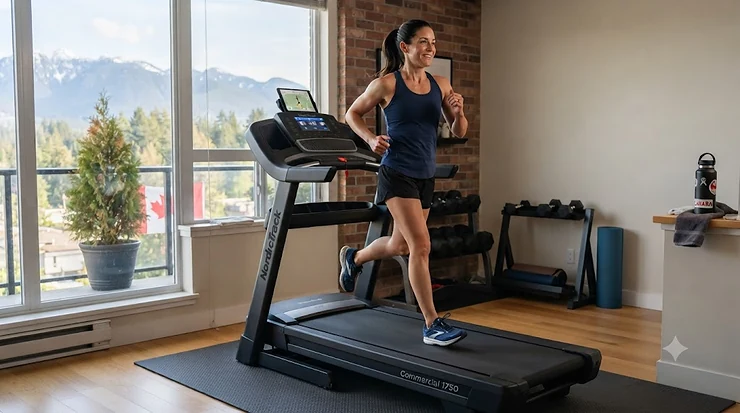
A treadmill that can’t talk to your phone feels a bit like a smartphone stuck on 3G — it still works, but you’re missing half the point. If you’re hunting for a Bluetooth treadmill for home gym use, you already know the drill: you want your heart rate on the screen, your earbuds synced without a cord flapping against your chin, and maybe a podcast playing through actual speakers when you forget your headphones on the kitchen counter. The good news is that Bluetooth connectivity, once a “premium” feature reserved for $3,000 machines, has trickled all the way down to treadmills under C$500. The tricky part is figuring out which Bluetooth actually does something useful (pairs with heart rate monitors, headphones, and fitness apps) versus which Bluetooth is basically a glorified speaker that syncs to nothing else. Health Canada and the Public Health Agency of Canada both point to consistent, moderate-to-vigorous aerobic activity as one of the biggest levers for long-term health, and a treadmill that removes friction from that habit — no fumbling with wires, no losing your heart rate zone mid-interval — genuinely makes people more likely to show up for it. This guide breaks down seven real, currently available machines across budget, mid-range, and premium tiers, explains exactly what their Bluetooth connections can and can’t do, and walks through the connectivity questions (speakers, chest straps, earbuds) that most product listings gloss over.
Quick Comparison Table
| Treadmill | Motor | Bluetooth Function | Price Range (CAD) | Best For |
|---|---|---|---|---|
| SOLE F80 | 3.5 CHP | Speakers, HR sync, FTMS apps | C$2,600–C$3,000 | No-subscription all-rounder |
| NordicTrack Commercial 1750 | 4.25 CHP | HR monitor pairing, headphones | C$2,800–C$3,300 | Heart-rate-zone training |
| Horizon 7.0 AT | 3.0 CHP | Speakers, app streaming, watch sync | C$1,000–C$1,300 | Budget-conscious streamers |
| ProForm Carbon T7 | 2.6 CHP | Speakers, iFIT sync | C$1,300–C$1,600 | Small spaces, touchscreen fans |
| Echelon Stride | 1.75–3.0 HP | Speakers, HR sensors | C$1,000–C$1,600 | Tightest footprint |
| Sunny Health & Fitness SF-T7515 | 1.0–2.2 HP | Speakers, calls, SunnyFit app | C$400–C$650 | First-time buyers |
| UREVO SpaceWalk | 2.5 HP | App sync only (no speaker) | C$350–C$500 | Apartments and home offices |
Looking at the spread above, the pattern is clear: Bluetooth on the cheaper end (Sunny Health & Fitness SF-T7515, UREVO SpaceWalk) mostly handles audio and app-syncing, while the pricier machines like the NordicTrack Commercial 1750 and SOLE F80 add genuine heart-rate-monitor pairing and third-party app compatibility through FTMS (Fitness Machine Service) protocols. If your main goal is podcasts and calls, don’t overpay for FTMS features you’ll never touch — but if you train by heart rate zones, that distinction is worth several hundred dollars.
💬 Just one click — help others make better buying decisions too!😊
Top 7 Bluetooth Treadmills for Home Gym: Expert Analysis
1. SOLE F80 — best no-subscription Bluetooth ecosystem
The standout here isn’t the motor, it’s the fact that every Bluetooth feature works the day it arrives, with nothing gated behind a monthly fee. The SOLE F80 runs on a 3.5 continuous-horsepower motor with speeds up to 12 mph (19.3 km/h) and inclines to 15%, paired with a 10.1-inch touchscreen that handles Bluetooth speaker audio, wireless device charging, and screen mirroring in one console. In practice, this means you can stream a podcast through the built-in speakers, glance at your Garmin’s real-time SpO2 and stress data on the console, and still walk away without ever entering a credit card for a subscription — something the iFIT-locked competitors below can’t say. Based on the spec comparison, the F80’s Cushion Flex Whisper Deck also reduces joint impact by roughly 40% versus asphalt, which matters more than most buyers realize when logging daily kilometres. Reviewers consistently report that the F80 stays stable even at higher speeds and heavier user weights, and long-term owners cite a fast, no-hassle warranty process when parts wear out. Aggregated feedback does flag that assembly takes longer than expected and that the touchscreen’s app selection, while solid, isn’t as expansive as the NordicTrack’s iFIT library.
Pros:
- ✅ Full Bluetooth speaker, HR, and FTMS app support out of the box
- ✅ Lifetime frame and motor warranty backs up the price
- ✅ CushionFlex deck meaningfully reduces joint impact
Cons:
- ❌ Assembly reportedly takes longer than competitors
- ❌ Smaller app ecosystem than iFIT-based machines
Priced around C$2,600–C$3,000, the SOLE F80 sits at the top of this list for buyers who want premium connectivity without a recurring bill eating into the value over time.
2. NordicTrack Commercial 1750 — best for heart-rate-zone training
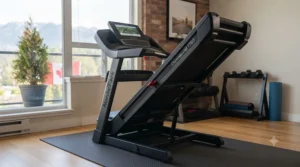
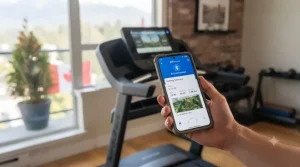
What most buyers overlook about the NordicTrack Commercial 1750 is that its Bluetooth isn’t really about the 16-inch touchscreen — it’s about ActivePulse, a feature that reads your Bluetooth-connected heart rate monitor and automatically nudges speed and incline to keep you in a target zone. The 4.25 CHP motor and -3% to 12% incline range give this machine genuine range for both recovery walks and hill-repeat sessions, and the deck’s shock absorption holds up well over hundreds of kilometres of testing reported by long-term owners. On paper, this means a runner training for a specific heart-rate zone doesn’t have to babysit the console; the machine does the adjusting. The catch, and it’s a real one: Bluetooth headphone pairing works fine for audio, but you can’t stream your own music through the built-in speakers, only class audio — a detail that surprises a lot of first-time buyers. Aggregated review sentiment is largely positive on build quality and smoothness, though several owners note that Apple Watch heart-rate data won’t sync live to the console (Garmin and Polar straps do), and that the iFIT membership, while free for a month, becomes a near-mandatory C$39/month cost to unlock the full experience.
Pros:
- ✅ ActivePulse auto-adjusts workouts to your heart rate zone
- ✅ Powerful 4.25 CHP motor handles serious training loads
- ✅ Wide 22″ x 60″ deck comfortable for taller runners
Cons:
- ❌ iFIT subscription is effectively required for full value
- ❌ Speakers only play class audio, not your own music
At roughly C$2,800–C$3,300, this is the pick for buyers who care more about adaptive, data-driven workouts than saving money on ongoing fees.
3. Horizon 7.0 AT — best value with no forced subscription
The Horizon 7.0 AT earns its spot by doing something the premium machines above deliberately avoid: it hands you Bluetooth connectivity and lets you bring your own apps, free of charge, forever. Its Advanced Bluetooth connects to Peloton, Zwift, and similar third-party platforms, streams audio through onboard speakers, and syncs with Apple Watch or Samsung Galaxy Watch for workout tracking. Here’s what the spec sheet won’t tell you, but reviewers note: the RapidSync drive system genuinely does make speed and incline adjustments feel instant rather than laggy, which matters a lot during interval training where a half-second delay throws off your rhythm. The 20″ x 60″ deck with 3-Zone Variable Response Cushioning is comparable to machines costing twice as much, and a 325-lb weight capacity covers most home users comfortably. Aggregated reviewer sentiment is strongly positive on value, though taller users (6’2″ and up) commonly mention that the handlebar-mounted heart rate sensors sit at an awkward angle, and Québec-based buyers have flagged longer-than-average delivery windows.
Pros:
- ✅ No forced subscription — Bluetooth apps work free forever
- ✅ RapidSync controls feel noticeably responsive
- ✅ Apple Watch and Samsung Galaxy Watch pairing built in
Cons:
- ❌ Handlebar HR sensors awkward for taller users
- ❌ Delivery times can run long outside major centres
Around C$1,000–C$1,300, the Horizon 7.0 AT is the strongest value-per-Bluetooth-feature pick on this entire list.
4. ProForm Carbon T7 — best compact touchscreen for small spaces
The ProForm Carbon T7‘s standout feature is squeezing a 7-inch HD touchscreen with Bluetooth speaker audio into a machine that folds down small enough for a condo or basement corner. Its 2.6 CHP motor and 10% incline cap are modest compared to the commercial-grade options above, but that’s honestly the point — this is built for walkers, joggers, and people doing SmartAdjust-guided iFIT classes rather than marathon training. Based on the spec comparison, the T7’s ProShox cushioning system performs about on par with machines in its price bracket, and the free 1- to 3-year iFIT membership (depending on promotion) softens the usual subscription sting. What most buyers overlook is that this treadmill has zero built-in programs of its own; once your iFIT trial lapses, you’re running in manual mode with Bluetooth still working for audio, but without the guided workouts that justified the touchscreen in the first place. Reviewers consistently praise the gas-assisted folding mechanism as safer than older spring-loaded designs, particularly in homes with kids or pets nearby, while a recurring complaint is that the motor lacks the power for sustained sprint work.
Pros:
- ✅ 7″ touchscreen with Bluetooth audio in a compact frame
- ✅ Gas-assisted fold is safer around kids and pets
- ✅ Free multi-year iFIT trial included at purchase
Cons:
- ❌ No native programs once iFIT trial expires
- ❌ 2.6 CHP motor underpowered for serious sprinting
Expect a price in the C$1,300–C$1,600 range, positioning the T7 as a reasonable middle ground between the Sunny/UREVO budget tier and full commercial-style machines.
5. Echelon Stride — best footprint for tight apartments
If floor space is your real constraint, the Echelon Stride‘s auto-fold system is the standout: it folds flat to roughly 10 inches tall, rolls away on integrated wheels, and still keeps its Bluetooth connection live for handlebar-based heart rate sensors and audio. The lighter 1.75–3.0 HP motor range (depending on the Stride variant you land on) tops out around 12 mph with up to a 10-15% incline on higher-tier models, which is plenty for walking and light jogging but not built for marathon-pace training. What the spec sheet won’t tell you, but user reports suggest, is that the Stride’s Bluetooth pairs cleanly with the Echelon Fit App for guided classes, though the screen (on touchscreen models) is locked to that ecosystem rather than opening up to third-party FTMS apps the way the Horizon does. Reviewers consistently flag the compact 20″ x 55″ deck as noticeably shorter than the 60-inch decks on this list, which taller runners may find cramped at faster paces. On the plus side, aggregated feedback repeatedly calls out how easy the auto-fold mechanism is to operate solo, a detail that matters in households where the treadmill needs to disappear between workouts.
Pros:
- ✅ Auto-fold to about 10 inches tall — genuinely space-saving
- ✅ Bluetooth heart rate sensors built into the handlebars
- ✅ Wheels make relocating it a one-person job
Cons:
- ❌ Shorter 20″ x 55″ deck cramped for taller runners
- ❌ Touchscreen tiers locked to the Echelon Fit App only
Pricing runs roughly C$1,000–C$1,600 depending on the Stride tier, making it a strong pick specifically for small-footprint homes rather than serious distance training.
6. Sunny Health & Fitness SF-T7515 — most affordable true Bluetooth pick
The Sunny Health & Fitness SF-T7515 proves that Bluetooth doesn’t have to come with a four-figure price tag. Its standout feature is a built-in microphone and speaker pair that lets you answer phone calls mid-workout, on top of standard Bluetooth music streaming — a genuinely useful touch on a machine priced under C$650. The 1.0–2.2 HP motor (specs vary slightly by production run) caps out around 8 mph with 12 levels of motorized incline, positioning this squarely as a walking-and-light-jogging machine rather than a running powerhouse. Here’s what most spec sheets skip: pairing with the free SunnyFit app unlocks over 1,000 guided workouts and thousands of scenic routes at no extra monthly cost, which is a rare thing to find below the C$1,000 mark. Aggregated customer feedback is largely positive on ease of setup (about 20 minutes) and the fold-and-roll storage design, though a recurring complaint involves the unit tripping GFCI-protected outlets, and a smaller number of reviewers report incline-motor issues after extended use. For anyone testing whether a home treadmill habit will actually stick before committing to a premium machine, this is a sensible, low-risk starting point.
Pros:
- ✅ Built-in mic and speakers for calls and music
- ✅ Free SunnyFit app with 1,000+ workouts included
- ✅ Sets up in about 20 minutes, folds for storage
Cons:
- ❌ Some units trip GFCI outlets during use
- ❌ 1.0–2.2 HP motor limited to walking/light jogging
At around C$400–C$650, the SF-T7515 is the easiest entry point on this list for anyone unsure whether they’ll actually use a treadmill regularly.
7. UREVO SpaceWalk — best compact walking pad for apartments and offices
The UREVO SpaceWalk takes a different shape entirely: it’s a slim, under-desk walking pad rather than a full treadmill, and its standout feature is a Bluetooth connection dedicated purely to app-based tracking rather than audio. A 2.5 HP motor covers a 0.6–4 mph walking range, with the compact 35.5″ x 15″ belt sliding under most standing desks or into a closet when not in use. What the spec sheet won’t tell you, but user reports suggest, is that the companion app’s real-time step, distance, and calorie sync via Bluetooth is genuinely more reliable than the on-console display on cheaper walking pads, since your phone does the heavy lifting. This isn’t a machine for anyone chasing running speeds — there’s no jogging or incline range here — but for hitting the physical-activity minutums recommended by CSEP’s guidelines while on video calls, it’s hard to beat the footprint. Reviewers consistently note how quiet the 2.5 HP motor runs (many report it’s inaudible over typing or a conference call), while a handful mention the lack of any built-in speaker as a downside if you were hoping for an all-in-one audio solution.
Pros:
- ✅ Ultra-quiet motor works during calls without disruption
- ✅ Reliable Bluetooth app sync for steps, distance, calories
- ✅ Slides under a desk or into a closet in seconds
Cons:
- ❌ No built-in speaker for Bluetooth audio
- ❌ Walking-only — no jogging speeds or incline range
Priced around C$350–C$500, the UREVO SpaceWalk rounds out this list as the pick for home offices and apartments where a full-size treadmill simply won’t fit.
Practical Usage Guide: Setting Up Your Bluetooth Treadmill Right
Getting the Bluetooth features on any of these machines actually working smoothly comes down to a handful of steps most manuals bury on page 40. First, always pair your heart rate monitor or headphones before you start walking — treadmill Bluetooth radios on machines like the NordicTrack Commercial 1750 and SOLE F80 typically only scan for new devices in the first 30-60 seconds after power-on, so pairing mid-workout often fails. Second, keep your phone or chest strap within about 3 metres of the console; motor housings are metal, and that shielding noticeably shortens Bluetooth range compared to open-air pairing. Third, in your first 30 days, resist the urge to run every app simultaneously — trying to sync a heart rate strap, stream music, and mirror a phone screen all at once is the single most common cause of the “ghost disconnects” people complain about in reviews, since consumer-grade Bluetooth chips in budget treadmills like the Sunny Health & Fitness SF-T7515 often only reliably handle one or two simultaneous connections. Finally, update firmware early: most connectivity complaints in aggregated reviews trace back to consoles running outdated Bluetooth firmware from the factory, and a five-minute update (via the SunnyFit, UREVO, or SOLE+ app) resolves a surprising share of pairing headaches before they start. Treat the first week as a shakedown period — pair one device at a time, confirm it holds a stable connection through a full workout, then add the next.
Real-World Scenarios: Which Bluetooth Treadmill Fits Your Life
Picture three different households shopping for the exact same keyword and landing on completely different machines. A university student in a Toronto basement apartment, running three times a week between classes, has almost no floor space and no budget for a subscription — the UREVO SpaceWalk or Sunny Health & Fitness SF-T7515 fit that reality far better than a commercial-grade unit that won’t even clear the doorway. A remote-working parent in Calgary trying to hit CSEP’s recommended 150 minutes of moderate activity per week, mostly during lunch breaks and conference calls, benefits more from the SpaceWalk’s silent motor and desk-height design than from a touchscreen loaded with classes they’ll never have time to watch. Meanwhile, a former competitive runner in Ottawa training for a half-marathon through a Canadian winter needs the incline range, deck length, and heart-rate-zone automation that only the NordicTrack Commercial 1750 or SOLE F80 genuinely deliver — for that user, the Horizon or Echelon would feel underpowered within a few weeks. The lesson across all three: match the Bluetooth feature set to how you’ll actually train, not to the longest spec sheet. A C$3,000 machine bought by someone who really needed a C$500 walking pad is a worse purchase than the reverse, even though it’s the “better” treadmill on paper.
Problem → Solution: Common Bluetooth Treadmill Issues
Problem: Heart rate monitor won’t pair. Most consumer treadmills only support Bluetooth Low Energy (BLE) or ANT+ chest straps, not classic Bluetooth fitness bands — if your strap isn’t syncing to the NordicTrack Commercial 1750 or SOLE F80, check that it’s BLE-compatible (Polar H10 and Garmin HRM straps both are) before assuming the console is faulty.
Problem: Headphones connect but audio cuts out. This is almost always a range or interference issue rather than a defective unit — move your phone or the source device closer to the console, and disable Wi-Fi calling on your phone temporarily, since it competes for the same 2.4GHz spectrum as Bluetooth.
Problem: Treadmill speaker won’t take a direct music stream. On the NordicTrack Commercial 1750 specifically, this is by design, not a bug — the built-in speakers only output class/app audio, so pair your own headphones instead if you want personal playlists.
Problem: App shows inconsistent step or calorie data. On walking-pad-style units like the UREVO SpaceWalk, this usually traces back to phone placement; keep your phone in a front pocket or armband rather than a bag, since Bluetooth-based motion tracking degrades with distance and obstruction.
Problem: Multiple household members’ devices keep re-pairing to the wrong profile. Most budget consoles, including the Sunny Health & Fitness SF-T7515, don’t support multi-device memory the way phones do — forget the connection on your phone after each session, or the console will default to the last-paired device and ignore new pairing attempts.
How to Choose a Bluetooth Treadmill for Home Gym
Choosing the right Bluetooth treadmill for home gym use comes down to seven criteria, roughly in order of importance for most Canadian buyers:
- Confirm what “Bluetooth” actually connects to. Some listings mean “has speakers,” others mean full FTMS app and heart-rate integration — read the feature list, not just the word “Bluetooth” in the title.
- Match motor power to your actual training, not your aspirational training. A 2.5 HP motor is plenty for walking; sustained running needs 3.0 CHP or higher.
- Measure your space before the deck length. A 60-inch deck feels generous until you realize your ceiling height or doorway won’t clear the folded unit.
- Check subscription requirements upfront. iFIT-dependent machines like the NordicTrack Commercial 1750 and ProForm Carbon T7 lose significant functionality without an active membership.
- Verify heart rate monitor compatibility. If you already own a Garmin, Polar, or Wahoo strap, confirm BLE support rather than assuming compatibility.
- Weigh warranty terms against the price tag. A lifetime frame warranty, like SOLE’s, meaningfully changes the long-term cost calculation versus a one-year warranty on a similarly priced machine.
- Read aggregated reviews for connectivity complaints specifically, not just overall star ratings — a 4.5-star treadmill with recurring Bluetooth dropout complaints may frustrate you more than a 4.0-star machine with rock-solid pairing.
Bluetooth Speaker Treadmill vs Wired Setups: What Actually Matters
A Bluetooth speaker treadmill solves a problem that’s easy to underestimate until you’ve lived without it: wired setups mean either running with a phone in an armband and cord swinging, or leaving your phone silent on the console tray while you strain to hear a podcast over the motor. Machines like the Sunny Health & Fitness SF-T7515 and Horizon 7.0 AT build in speakers specifically so your phone can stay in a pocket, bag, or holder while audio streams wirelessly to the console. The trade-off is fidelity — built-in treadmill speakers are functional, not audiophile-grade, and motor noise at higher speeds can wash out quieter podcast dialogue in a way dedicated headphones won’t. On paper this means casual walkers and light joggers, who run at lower motor-noise levels, get the most value from onboard Bluetooth speakers, while faster runners on machines like the NordicTrack Commercial 1750 typically end up relying on Bluetooth headphones anyway, since the drive system’s noise at 10+ mph competes with any built-in speaker. The practical takeaway: don’t pay extra for speaker quality on a machine you’ll mostly run fast on, and don’t skip speakers entirely on a machine meant for slower, longer walking sessions where ambient audio genuinely matters.
Treadmill Heart Rate Monitor Pairing: Chest Straps vs Wrist vs Handlebar Sensors
Treadmill heart rate monitor pairing generally works through one of three methods, and each has a real accuracy trade-off worth understanding before you buy chest strap monitors or rely on what’s built in. Handlebar sensors — the metal grips found on the Horizon 7.0 AT and entry Echelon Stride models — read heart rate through skin contact and are famously inconsistent, since they require both hands gripping simultaneously and lose the signal the moment you let go to sip water. Wrist-based tracking, synced via Bluetooth from a Garmin or Apple Watch, is more convenient but introduces its own quirks: reviewers note that the NordicTrack Commercial 1750 happily pairs with Garmin watches over Bluetooth but doesn’t support live Apple Watch heart-rate streaming to the console, a limitation tied to Apple’s ecosystem restrictions rather than NordicTrack’s hardware. Chest strap monitors, using Bluetooth Low Energy (BLE) protocols like those from Polar or Wahoo, deliver the most accurate real-time data of the three because they measure electrical signals directly at the heart rather than relying on optical sensors through skin and hair, and they pair cleanly with any FTMS-compatible console including the SOLE F80. If heart-rate-zone training is central to your routine — especially for ActivePulse-style automation — a BLE chest strap is worth the roughly C$60-C$120 investment even on top of an already-capable treadmill.
Bluetooth Headphone Compatible Treadmill: What to Check Before You Buy
Not every “Bluetooth headphone compatible treadmill” actually plays nicely with the wireless earbuds you already own, and the compatibility gap usually comes down to Bluetooth version and simultaneous-connection limits rather than brand. Most treadmills built since around 2022, including everything on this list, support Bluetooth 4.0 or higher, which covers the vast majority of modern wireless earbuds and over-ear headphones without issue. Where buyers run into trouble is machines that only support a single active Bluetooth connection at a time — pair your headphones on the ProForm Carbon T7, for instance, and you may need to manually disconnect before pairing a heart rate strap, since the console can’t always juggle both simultaneously. Reviewers consistently note that mainstream earbuds (AirPods, Galaxy Buds, Sony WF-series) connect without a hitch across every treadmill in this guide, while lesser-known budget earbud brands occasionally show connection lag on cheaper consoles like the SF-T7515’s Bluetooth chip. The practical fix, if you rely heavily on wireless earbuds during workouts, is to pair once, name the device clearly in your treadmill’s Bluetooth menu if that option exists, and avoid re-pairing every session — most dropout complaints in aggregated reviews trace back to repeated re-pairing cycles rather than genuine hardware incompatibility.
Common Mistakes When Buying a Bluetooth Treadmill for Home Gym
The single most common mistake is buying based on motor horsepower alone while ignoring what the Bluetooth connection is actually capable of — a powerful motor paired with speaker-only Bluetooth won’t help if heart-rate-zone training was the whole point of the purchase. A close second is underestimating deck length for your height; a 55-inch deck like the Echelon Stride’s feels fine for a 5’5″ walker but genuinely cramped for a 6’2″ runner at faster paces, regardless of how good the Bluetooth pairing is. Buyers also frequently skip checking subscription costs until after purchase, only to discover that a “smart” touchscreen on a NordicTrack or ProForm becomes a fairly basic display once the free iFIT trial lapses. Another frequent misstep: assuming all Bluetooth heart rate monitors are interchangeable, when in fact ANT+ only straps won’t pair with BLE-only consoles at all. Finally, plenty of buyers overlook electrical requirements entirely — Canadian homes should confirm any treadmill they buy carries appropriate CSA electrical certification for safe use on a standard household circuit, since uncertified imported units have occasionally shown up in marketplace listings without proper safety testing.
Workout Audio: Getting the Best Sound From Your Home Treadmill
Workout audio quality on a home treadmill depends on three factors working together: the treadmill’s own speaker hardware, your headphone choice, and motor noise at your typical training speed. Built-in speakers on machines like the SF-T7515 and Horizon 7.0 AT are genuinely convenient for calls and casual music at walking pace, but they struggle to stay audible once motor noise climbs above roughly 55-60 decibels at higher speeds — for context, that’s close to the sound of a normal conversation, meaning podcast dialogue can get swallowed fast. For anyone training at faster paces or doing interval work, Bluetooth headphones or wireless earbuds consistently outperform built-in speakers for audio clarity, since they sit close to your ear rather than competing with ambient motor noise from several feet away. One detail that trips people up: open-ear or bone-conduction headphones, popular for outdoor running because they let in ambient sound, can actually perform worse indoors on a loud treadmill, since there’s no ambient safety benefit to justify the audio isolation trade-off — sealed in-ear buds tend to deliver clearer workout audio in a home gym setting. If you’re building a dedicated home gym audio setup, pairing a quality set of sweat-resistant wireless earbuds with any FTMS-compatible treadmill on this list will outperform relying on built-in speakers alone, regardless of how many watts the console claims.
Long-Term Cost & Maintenance
The sticker price of a Bluetooth treadmill for home gym use is only part of the real cost. Subscription-dependent machines like the NordicTrack Commercial 1750 and ProForm Carbon T7 carry an iFIT Family Plan running roughly C$39/month post-trial, which adds up to nearly C$1,400 over three years — often exceeding the price difference between those units and a no-subscription machine like the SOLE F80 or Horizon 7.0 AT. Maintenance costs are more modest but real: belt lubrication every three to six months (a bottle runs roughly C$15-C$25), occasional belt replacement after several thousand kilometres (commonly C$50-C$150 depending on brand), and, for machines with more electronics packed in, the marginally higher odds of a console or Bluetooth-module repair down the line. Warranty terms matter enormously here — SOLE’s lifetime frame and motor warranty effectively insures against the most expensive failure mode, while several budget machines cap parts coverage at one to two years. Reviewers consistently note that the cost-per-use math favours the machine you’ll actually use consistently over the one with the most features; a C$500 treadmill used four times a week beats a C$3,000 treadmill gathering dust in a spare room every single time, and that’s before factoring in the roughly C$50-C$70 monthly cost of an equivalent Canadian gym membership that the treadmill is meant to replace.
Features That Actually Matter (And Those That Don’t)
Cutting through the marketing copy, a handful of features genuinely affect day-to-day use: motor continuous horsepower (CHP, not peak HP, which is an inflated marketing number), deck cushioning quality, Bluetooth protocol support (FTMS versus proprietary-app-only), and warranty length on the motor and frame specifically. Features that sound impressive but rarely matter in practice include maximum incline percentages above 12% (few home users train on grades that steep for more than a minute or two), built-in fan wattage (a standalone fan usually performs just as well for a fraction of the cost), and touchscreen size beyond about 10 inches, which mostly affects video streaming rather than workout data legibility. What most buyers overlook is that Bluetooth version numbers (4.0 versus 5.0) matter less than actual chip implementation — a well-implemented Bluetooth 4.2 radio on the SOLE F80 can outperform a poorly shielded Bluetooth 5.0 chip on a cheaper import in real-world pairing reliability. If you’re deciding where to spend extra money, prioritize motor CHP and deck cushioning first, connectivity protocol second, and treat screen size, fan power, and max incline as nice-to-haves rather than deciding factors.
Safety & Regulations: What Canadian Buyers Should Know
Any treadmill sold for use in a Canadian home should carry recognized electrical safety certification — look for a CSA, cULus, or cETL mark on the unit, confirming it meets Canadian electrical code requirements for household circuits. This matters more than it sounds: uncertified imported treadmills, sometimes sold through third-party marketplace listings, have occasionally skipped this testing entirely, creating a real fire or shock risk on standard household wiring. Beyond electrical safety, basic placement precautions apply to every machine on this list — keep the treadmill on a level, non-carpeted (or low-pile) surface, maintain clear space of at least a metre behind the belt in case of a fall, and use the magnetic safety clip every single session, particularly with kids or pets in the home. On the health side, CSEP and Health Canada’s activity guidelines recommend at least 150 minutes of moderate-to-vigorous activity per week for adults, a target any of the seven treadmills here can comfortably support, but anyone managing a cardiovascular condition, recovering from injury, or new to structured exercise should check with a healthcare provider before starting incline or interval-heavy programs, since even Bluetooth-guided “automatic” adjustment features aren’t a substitute for individualized medical guidance.
Frequently Asked Questions
❓ Does a Bluetooth treadmill for home gym need Wi-Fi too?
❓ Can I connect wireless earbuds to any treadmill?
❓ Do chest strap monitors work better than a smartwatch on a treadmill?
❓ Is a Bluetooth speaker treadmill worth it over just using headphones?
❓ How much does a decent Bluetooth treadmill cost in Canada?
Conclusion
The right Bluetooth treadmill for home gym use isn’t necessarily the one with the longest feature list — it’s the one whose connectivity matches how you actually plan to train. Someone who wants hands-free calls and casual music will get more real-world value from the Sunny Health & Fitness SF-T7515‘s built-in speakers than from the NordicTrack Commercial 1750‘s ActivePulse heart-rate automation, and vice versa for a runner training seriously by heart-rate zones. Across all seven machines here, the consistent theme is that Bluetooth quality tracks price less than most buyers expect: a well-implemented Bluetooth radio on a budget machine like the Horizon 7.0 AT can outperform a flashier but poorly optimized connection on something twice the price. Before you commit, revisit the comparison table above, match your space and training goals against the seven-point buying framework, and don’t skip the CSA certification check — it’s a small step that protects both your safety and your investment. Whichever model you land on, pairing the right heart rate monitor and headphones from day one will make the difference between a treadmill that gets used daily and one that quietly becomes a laundry rack by March.
✨ Don’t Miss These Exclusive Deals!
🔍 Take your home gym setup to the next level with these carefully selected Bluetooth treadmills. Click on any highlighted model to check current pricing and availability on Amazon.ca. The right pick today means workouts you’ll actually stick with tomorrow!
Recommended for You
- iFit Compatible Treadmill Review: 7 Best Picks for 2026
- 7 Best WiFi Treadmill Under $1200 CAD Picks for 2026 (Tested amp; Compared)
- 7 Best touchscreen treadmills under $2000 CAD (2026 Picks)
Disclaimer: This article contains affiliate links. As an Amazon Associate, I earn from qualifying purchases. If you purchase products through these links, we may earn a small commission at no additional cost to you.
✨ Found this helpful? Share it with your friends! 💬🤗
