In This Article
Picture this: it’s minus fifteen outside, the sidewalks are a skating rink, and your usual running route has basically vanished under a snowbank. This is the exact moment Canadians start Googling touchscreen treadmills under $2000 CAD at 11 p.m., half-desperate, half-hopeful that a machine can replace six months of decent weather. Fair enough — it can, mostly.
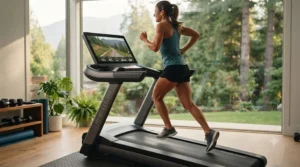
Here’s the thing nobody tells you upfront: touchscreen treadmills under $2000 CAD used to be a bit of a myth, a “sure, if you squint” category where the screens were either tiny or the motors were weak sauce. That’s changed. Brands like NordicTrack, ProForm, and Echelon have pushed genuinely good touchscreens — real HD displays, not glorified calculators — down into budgets that don’t require a home equity loan.
This guide walks through seven real, currently available models, breaks down what a screen size actually buys you versus a plain tablet holder, and digs into the stuff that never shows up on a product listing — like whether your downstairs neighbour is going to file a noise complaint about your incline motor. We’ve pulled real specs, aggregated real review sentiment, and skipped the marketing fluff. Grab a coffee (or a protein shake, no judgment) — let’s find the machine that actually fits your space, your budget, and your Tuesday-night motivation levels.
What Is a Touchscreen Treadmill?
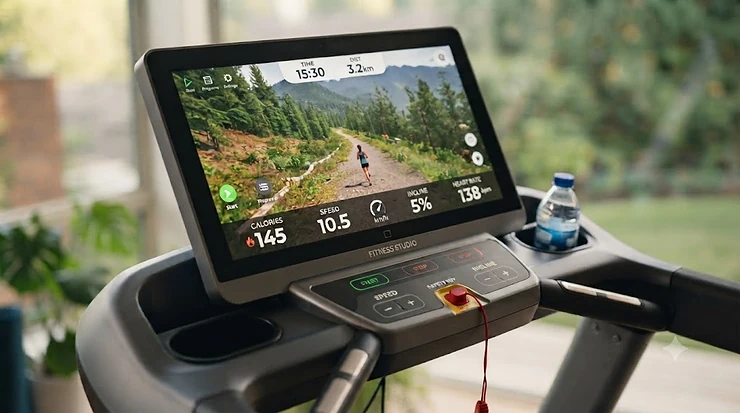
A touchscreen treadmill is a running or walking machine with a built-in interactive display — typically 7″ to 22″ — that lets you tap through workout programs, stream classes, and track metrics directly on the console, instead of relying on a phone or tablet propped against a shelf.
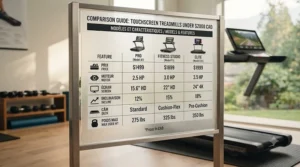
Quick Comparison Table
| Product | Screen Size | Best For | Price Range (CAD) |
|---|---|---|---|
| NordicTrack T Series 10 | 10″ tilting HD touch | Budget iFIT beginners | C$1,300–C$1,600 |
| ProForm Carbon Pro 2000 | 10″ HD touch | Compact apartments | C$1,150–C$1,450 |
| Echelon Stride-S | 10″ fold-flat touch | Small-space storage | C$1,400–C$1,700 |
| NordicTrack Commercial 1250 | 10″ tilting HD touch | Serious home training | C$1,700–C$1,999 |
| ProForm Carbon Pro 9000 | 16″ HD touch | Immersive streaming | C$1,600–C$1,899 |
| Echelon Stride-6S-10 | 10″ HD touch, auto-fold | Frequent folders | C$1,850–C$1,999 |
| Gymax 2-in-1 Under Desk | LED touch (compact) | Walking workstations | C$400–C$650 |
Looking at the spread above, you’ll notice the screen size doesn’t scale in a straight line with price — the ProForm Carbon Pro 9000 packs a 16″ display for less than the smaller-screened Echelon Stride-6S-10, mostly because Echelon spends its budget on the auto-fold hinge mechanism instead. If your priority is walking meetings rather than marathon training, the compact Gymax 2-in-1 Under Desk undercuts everything else here by roughly C$1,000, trading motor power for a footprint that fits under an actual desk.
💬 Just one click — help others make better buying decisions too!😊
Top 7 Touchscreen Treadmills Under $2000 CAD: Expert Analysis
1. NordicTrack T Series 10 — best budget entry into iFIT training
The NordicTrack T Series 10 is the treadmill most Canadian first-timers land on, and for a simple reason: it delivers a real 10″ tilting HD touchscreen at a price point that used to only buy you a plain LCD panel.
The screen tilts to reduce glare from overhead lights, which matters more than it sounds like in a basement gym with a single fluorescent tube. The deck is sized for walking and moderate jogging rather than serious distance training, and the incline tops out in the single digits rather than the double-digit ranges found on pricier siblings. Based on the spec comparison against other entry-level machines, the drive system here is the same “SMART-Response” motor NordicTrack uses across its budget lineup — reliable, if not thrilling.
This is the pick for someone easing into home cardio without wanting to commit to a full-blown fitness-app subscription lifestyle just yet. Reviewers consistently mention the screen quality punching above the price tag, though several note that the full iFIT experience (auto-adjusting speed and incline) really only shines once you’re paying the monthly membership. A recurring theme in aggregated feedback is that the tablet shelf beneath the screen is a nice touch for anyone still tethered to their phone for music.
Pros:
- ✅ Genuine 10″ HD touchscreen at an entry-level price point
- ✅ Tilting screen cuts glare in basement or garage setups
- ✅ Compact footprint folds easily for apartment living
Cons:
- ❌ Incline range is modest compared to commercial-tier models
- ❌ Full iFIT features require an ongoing subscription
Expect to pay somewhere in the C$1,300–C$1,600 range at the time of research, and prices may vary by retailer — for a first touchscreen treadmill, that’s a genuinely fair trade of features to dollars.
2. ProForm Carbon Pro 2000 — best compact touchscreen for small spaces
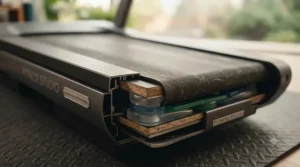
The ProForm Carbon Pro 2000 squeezes a crisp 10″ touchscreen into one of the smallest folded footprints in this whole roundup, making it the go-to for condo dwellers who measure their gym space in square feet, not square metres.
Its motor sits in the mid-range for this price bracket, enough to handle brisk walking and light jogging without straining, though sprint enthusiasts will likely outgrow it. The SpaceSaver folding design and built-in wheels mean one person can genuinely move it solo, which is not something you can say about every treadmill on this list. What most buyers overlook about this model is that the compact deck length, while great for storage, means taller runners (above roughly 185 cm) may feel their stride cramped during faster intervals.
Aggregated customer feedback consistently praises the fold-and-roll mechanism and the screen’s responsiveness to touch input, with a recurring note that assembly, while doable solo, takes patience with the included tools.
Pros:
- ✅ Smallest folded footprint among full touchscreen models here
- ✅ Genuinely one-person foldable and rollable
- ✅ Responsive 10″ touchscreen for the price bracket
Cons:
- ❌ Shorter deck may cramp taller runners at speed
- ❌ Motor best suited to walking and light jogging
Pricing tends to land around C$1,150–C$1,450 CAD, check current price before buying since ProForm runs frequent seasonal promotions.
3. Echelon Stride-S — best fold-flat design for tight apartments
The Echelon Stride-S solves a problem most touchscreen treadmills don’t even try to address: what happens to the console when you fold the machine. Here, the whole thing — screen, handles, and all — lies flat against the deck.
The 10″ touchscreen sits centred on a console that pivots upright for use and folds down to roughly 25 cm of clearance when stored, which is a genuine engineering flex. On paper this means renters in tiny apartments can tuck it behind a couch without redecorating their entire living room around a treadmill-shaped monolith. The trade-off, and it’s a real one, is console stability — the fold-flat hinge introduces a touch more wobble at higher speeds than a fixed-frame console would.
Reviewers consistently highlight the storage convenience as the standout feature, while a recurring complaint centres on the Echelon app’s subscription push, since the touchscreen leans heavily toward Echelon’s own class content rather than open browsing.
Pros:
- ✅ Console folds flat for genuinely minimal storage footprint
- ✅ 10″ touchscreen with responsive metrics tracking
- ✅ Compact deck suits walkers and light joggers well
Cons:
- ❌ Fold-flat hinge adds slight console wobble at speed
- ❌ Full content library requires Echelon Premier subscription
Prices generally sit in the C$1,400–C$1,700 range at the time of research — solid value if apartment storage is your main constraint.
4. NordicTrack Commercial 1250 — best all-around touchscreen under $2000 CAD
If there’s a “sweet spot” pick in this whole list, it’s the NordicTrack Commercial 1250. It’s the entry point into NordicTrack’s commercial-grade series, meaning you get a sturdier frame and a more powerful motor than the base T Series, while the touchscreen stays a manageable 10″.
The 3.0 CHP motor and 12% incline (plus a -3% decline) give it real range for interval training, hill simulation, and even light strength-adjacent cardio circuits. Based on the spec comparison with its pricier Commercial 1750 sibling, the core difference is screen size — 10″ here versus 14″ up the line — while nearly everything else (motor, deck, incline range) stays close to identical. That’s a meaningful insight for anyone tempted to overspend purely for a bigger display.
Aggregated review sentiment is notably positive on build quality and incline smoothness, with reviewers frequently calling it the best value in the Commercial Series lineup; a common complaint in user reviews is the shorter-than-expected motor warranty relative to the frame warranty.
Pros:
- ✅ Commercial-grade motor and frame at near-entry pricing
- ✅ 12% incline plus decline for genuine hill training
- ✅ Near-identical specs to pricier 14″ screen sibling
Cons:
- ❌ Requires iFIT subscription to unlock full screen value
- ❌ Motor warranty shorter than the lifetime frame warranty
Expect a price range around C$1,700–C$1,999 CAD, frequently discounted below that ceiling — this is the one to watch for a seasonal sale.
5. ProForm Carbon Pro 9000 — best large screen for immersive streaming
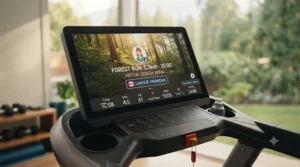
For anyone chasing the “big screen” experience without spending Peloton money, the ProForm Carbon Pro 9000 and its 16″ HD touchscreen is the standout in this entire roundup.
That extra screen real estate genuinely changes how streamed workout classes feel — trainer-led scenery runs stop feeling like watching a phone propped on a shelf and start feeling like an actual window. The motor and deck specs sit comfortably mid-pack for this price tier, capable of supporting regular jogging sessions without complaint. Here’s what to weigh: a bigger screen draws more attention (and more dust, practically speaking) but doesn’t inherently mean a better motor or deck — buyers sometimes assume screen size scales with build quality, and that’s not always true.
A recurring theme in aggregated feedback is genuine enthusiasm for the immersive video quality during streamed classes, tempered by occasional notes that the larger screen assembly adds a bit of top-heaviness when folding the unit upright.
Pros:
- ✅ 16″ HD touchscreen among the largest in this price range
- ✅ Strong motor for the money, handles regular jogging
- ✅ Immersive video quality elevates streamed workout classes
Cons:
- ❌ Larger screen adds top-heavy feel when folding
- ❌ Best value requires committing to iFIT-style content
At C$1,600–C$1,899 CAD depending on promotions, this is the pick for screen-size chasers who still want to stay under budget.
6. Echelon Stride-6S-10 — best for frequent daily folding
The Echelon Stride-6S-10 is Echelon’s answer to households where the treadmill genuinely needs to disappear every single day — auto-fold hydraulics do the heavy lifting so you’re not wrestling a frame after every session.
Its 10″ HD touchscreen pairs with a 12-level incline range, putting it toward the upper end of what you’ll find under $2000 CAD for incline versatility. The auto-fold mechanism is the real differentiator here: instead of manually hoisting the deck, a hydraulic assist lowers it gently, which matters if you’re storing it in a shared space daily rather than leaving it set up permanently. What most buyers overlook is that this convenience comes with a slightly narrower deck than some competitors, a deliberate trade for the compact stored profile.
Reviewer sentiment is mixed but leans positive: several long-term owners report the auto-fold holding up well after months of daily use, while a recurring complaint flags the touchscreen software as occasionally slow to boot compared to competitors.
Pros:
- ✅ Auto-fold hydraulics ideal for daily setup and storage
- ✅ 12 incline levels, generous range for this price tier
- ✅ 10″ HD touchscreen with responsive metrics display
Cons:
- ❌ Narrower deck than some same-price competitors
- ❌ Touchscreen software boot time criticized in reviews
Pricing sits near the top of this list at C$1,850–C$1,999 CAD, right at the ceiling most Canadian shoppers are working with.
7. Gymax 2-in-1 Under Desk Treadmill — best budget touchscreen for walking workstations
Rounding out the list with a genuinely different use case, the Gymax 2-in-1 Under Desk Treadmill swaps “running machine” for “walking-and-working machine,” and its LED touchscreen console reflects that shift in priorities.
The dual-mode design offers a slow walking range alongside a light running mode, controlled through app pairing or the onboard LED touch panel showing calories, pulse, distance, and speed in real time. Here’s what to weigh: this isn’t a machine for sprint intervals — the 4.75HP motor is quiet and efficient at walking pace specifically, engineered for under-desk use where noise and vibration during a work call are real concerns, not afterthoughts. For remote workers logging step counts through the day, that’s arguably more valuable than a bigger touchscreen would be.
Aggregated review sentiment highlights the low-profile design and quiet motor as standout strengths, while a common complaint in user reviews notes the touch panel feels basic compared to the tablet-style displays on the pricier NordicTrack and ProForm models above.
Pros:
- ✅ Genuinely quiet motor engineered for under-desk daytime use
- ✅ Compact 2-in-1 walking and light running modes
- ✅ Lowest price point of any model in this roundup
Cons:
- ❌ Basic LED touch panel, not a full HD display
- ❌ Not built for running or high-speed interval training
Typically priced around C$400–C$650 CAD, this is the value pick for anyone whose real goal is more daily movement, not marathon training.
Top 7 Products: Full Spec Comparison
| Product | Motor | Incline | Screen | Best For |
|---|---|---|---|---|
| NordicTrack T Series 10 | SMART-Response | 0–10% | 10″ tilt HD | Budget iFIT starters |
| ProForm Carbon Pro 2000 | Compact drive | 0–10% | 10″ HD | Small apartments |
| Echelon Stride-S | Standard drive | 0–10% | 10″ fold-flat | Renters, tight storage |
| NordicTrack Commercial 1250 | 3.0 CHP | -3–12% | 10″ tilt HD | All-around home training |
| ProForm Carbon Pro 9000 | Mid-tier drive | 0–10% | 16″ HD | Streaming immersion |
| Echelon Stride-6S-10 | Standard drive | 12 levels | 10″ HD auto-fold | Daily fold routines |
| Gymax 2-in-1 Under Desk | 4.75HP quiet | Flat only | LED touch | Walking workstations |
The table makes one thing obvious fast: incline range, not screen size, is where the real spec gap opens up between the NordicTrack Commercial 1250 and everything below it — that -3% to 12% window is genuinely commercial-tier territory. Meanwhile the Gymax 2-in-1 sits in its own lane entirely, sacrificing incline and screen sophistication for the one feature none of the running-focused machines offer: near-silent daytime operation under a desk.
Touchscreen Treadmill Display Size: What Actually Matters
Here’s a myth worth busting early: a bigger touchscreen treadmill display size doesn’t automatically mean a better workout. What it actually changes is how immersive streamed content feels and how easily you can read metrics from a few steps back.
At 7″ to 10″, you’re in “glance and go” territory — fine for checking pace and calories, a bit small for genuinely losing yourself in a scenic run video. Step up to 16″ or beyond, like the ProForm Carbon Pro 9000, and streaming workout classes starts feeling closer to a small TV mounted at eye level, which matters if motivation is your real obstacle rather than fitness knowledge. Screen resolution matters just as much as size, though it gets less marketing attention — a 10″ panel with a sharp HD resolution can look better than a larger but dimmer, lower-resolution display, especially under bright room lighting. What most buyers overlook is that screen resolution and touch responsiveness (how quickly the panel registers a tap while you’re mid-stride, bouncing slightly) affect daily usability far more than raw diagonal inches.
For a large screen treadmill for home gym setups specifically, factor in wall glare and ambient light — a tilting screen, like the ones on the NordicTrack T Series 10 and Commercial 1250, solves glare issues that a fixed 16″ panel can’t.
Touchscreen Treadmill vs Tablet Holder Treadmill: Which Wins?
This is the debate that quietly divides the whole treadmill-shopping world, and honestly, both camps have a point.
A touchscreen treadmill vs tablet holder treadmill comparison usually comes down to three things: cost of ownership, content flexibility, and longevity. Built-in touchscreens, like those on the NordicTrack Commercial 1250 or Echelon Stride-6S-10, offer a seamless, single-device experience but typically funnel you toward one brand’s app ecosystem, subscription and all. Tablet-holder machines (like Horizon’s Studio Series, sold separately from this list) let you run any app — Peloton, Zwift, Apple Fitness+, or plain YouTube — but require you to own and constantly recharge your own device.
| Factor | Built-In Touchscreen | Tablet Holder |
|---|---|---|
| Upfront cost | Higher | Lower |
| App flexibility | Usually locked to one ecosystem | Bring any app you want |
| Long-term repair risk | Screen failure = costly repair | Swap your own device anytime |
| Best For | Streaming workout classes daily | Budget-conscious, multi-app users |
Reading the table, the honest takeaway is that a touchscreen wins on convenience and polish, while a tablet holder wins on flexibility and long-term repair economics — if a built-in screen fails outside warranty, you’re often looking at a costly proprietary part, whereas a cracked tablet just gets replaced at the electronics store.
✨ Don’t Miss These Exclusive Deals!
🔍 Take your home cardio setup to the next level with these carefully selected touchscreen treadmills under $2000 CAD. Click on any highlighted model to check current pricing and availability. These machines will help you build a home fitness routine your whole family will actually stick with!
Large Screen Treadmill for Home Gym: Practical Setup Guide
Buying the machine is the easy part; setting it up so you’ll actually use it in six months is where most people fumble.
First, measure twice — literally. A large screen treadmill for home gym use needs roughly 60 cm of clearance behind the belt for safe stepping-off room, plus ceiling height that accounts for your own height plus the console. Second, place it near (but not directly against) an electrical outlet on a dedicated circuit if possible; motor start-up draws a noticeable current spike, and older Canadian homes with shared circuits sometimes trip breakers when a treadmill and a space heater run simultaneously. Third, in the first 30 days, lubricate the belt per the manufacturer’s schedule — most Canadian brands recommend silicone-based lubricant every three months or 40 hours of use, never a petroleum-based product like WD-40, which degrades the belt material over time.
A common first-month mistake: placing the treadmill directly on hardwood or laminate without a mat, which transmits vibration (and motor noise) into the floor joists below — a rubber-backed equipment mat solves this for under C$100 and protects your flooring investment too. Finally, register your product and photograph the serial number sticker before you fold it away for the first time; warranty claims move faster with that information on hand.
Streaming Workout Classes: What You Need to Know
Streaming workout classes is the single biggest reason people upgrade from a plain LCD panel to a touchscreen in the first place, so it’s worth understanding what you’re actually paying for.
Most built-in touchscreens on this list — the NordicTrack T Series 10, Commercial 1250, and both ProForm Carbon Pro models — lean on iFIT for their class library, which requires a separate monthly membership beyond the treadmill’s purchase price. The Echelon Stride-S and Stride-6S-10 work the same way through Echelon’s own app. Here’s what most buyers overlook: the free trial period (typically 30 days) genuinely does end, and the screen’s real value drops sharply if you don’t budget for the ongoing subscription, since the hardware itself won’t stream video without it. On the flip side, a stable home Wi-Fi connection matters more than most buyers expect — reviewers across brands consistently flag buffering issues as a household internet problem, not a treadmill defect, especially in basements with weak router signal.
If you’re not planning to pay for a content subscription long-term, prioritize a model with solid Bluetooth support for pairing your own device instead, or lean toward the tablet-holder route discussed above — you’ll get more mileage from apps you already know and like.
Incline Motor Noise: What to Expect and How to Manage It
Nobody puts decibel ratings on the product box, and that’s exactly why incline motor noise catches new owners off guard, especially in condos with shared walls.
Incline motors — the separate mechanism that tilts the deck, distinct from the main drive motor — tend to produce a brief whirring or grinding sound during adjustment, most noticeable on machines with wider incline ranges like the -3% to 12% span on the NordicTrack Commercial 1250. Based on aggregated review patterns across this product category, incline noise is generally a short burst during transitions rather than a constant hum, so interval workouts with frequent incline changes will be noisier overall than a flat, steady walk. What the spec sheet won’t tell you, but reviewers note consistently, is that placing the unit on a proper equipment mat noticeably dampens both drive-motor hum and incline-motor whirring by absorbing vibration before it transmits into the floor.
If you live in a condo or an apartment with strict noise bylaws, models with quieter, purpose-built motors — like the Gymax 2-in-1 Under Desk, engineered specifically for daytime under-desk use — will cause far fewer issues than a full-incline commercial-style unit running at 6 a.m. before work.
How to Choose a Touchscreen Treadmill Under $2000 CAD
- Start with your space, not the screen. Measure your available footprint and ceiling height before falling in love with a 16″ display that won’t physically fit.
- Decide on subscription tolerance. If you won’t pay a monthly app fee, a smaller touchscreen or tablet-holder model saves real money long-term.
- Match the motor to your actual activity. Walkers can go lighter; regular joggers need the higher continuous horsepower ratings found on the Commercial 1250.
- Check the incline range for your goals. Hill-training fans should prioritize double-digit incline (and decline, if available) over screen size.
- Factor in noise tolerance for your living situation. Condo dwellers should weigh incline motor noise as heavily as screen quality.
- Confirm the warranty structure. Frame and motor warranties often differ significantly — read the fine print, not just the headline number.
- Budget for accessories. An equipment mat, and possibly a subscription, are part of the real total cost, not optional extras.
Common Mistakes When Buying a Touchscreen Treadmill
Buyers consistently fall into a handful of predictable traps, and most are avoidable with a bit of foresight.
The biggest one: assuming screen size equals overall quality, when in reality motor strength, deck length, and incline range matter more for actual workout performance. A close second is skipping the subscription math entirely — a treadmill that looks like a great deal at C$1,700 can effectively cost C$2,100+ in year one once a C$39-a-month app fee is factored in. Buyers also frequently underestimate deck length needs, assuming a shorter deck (fine for walking) will comfortably handle running strides, then discovering otherwise a few weeks in. Finally, plenty of shoppers skip reading the folding mechanism specs closely, not realizing some “foldable” treadmills still require real physical effort to lift, unlike the auto-fold hydraulics on the Echelon Stride-6S-10.
Real-World Scenarios: Who Should Buy What
The condo-dwelling remote worker: Working from a one-bedroom unit in downtown Toronto, walking 5,000–7,000 steps daily while on calls, noise bylaws are non-negotiable. The Gymax 2-in-1 Under Desk Treadmill fits this life perfectly — quiet motor, minimal footprint, and a budget that leaves room for a decent standing desk too.
The suburban parent training for a spring 10K: With a finished basement and evenings free after the kids are asleep, this buyer needs real incline training and a motor that won’t struggle at 10+ km/h for 45 minutes straight. The NordicTrack Commercial 1250 matches that mileage, with its 12% incline and sturdier commercial-grade frame handling regular, longer sessions.
The apartment renter who moves every year or two: Storage and portability matter more than raw performance here. The Echelon Stride-S, with its fold-flat console, tucks away in a closet corner between moves without needing a truck to relocate a bulky frame.
Long-Term Cost & Maintenance
The sticker price is only chapter one of the real cost story. Factor in a potential monthly subscription (commonly C$20–C$39), replacement lubricant every few months (roughly C$15–C$25 per bottle), and an equipment mat as a one-time cost around C$60–C$100.
Over three years, a subscription-based touchscreen model can add C$700–C$1,400 in ongoing app fees alone — money that’s easy to overlook when comparing sticker prices side by side. On paper this means the “cheaper” NordicTrack T Series 10 and the pricier Commercial 1250 can land at similar total cost of ownership once subscriptions are factored in, since both lean on the same iFIT ecosystem. Belt replacement, typically needed after several years of regular use, runs roughly C$100–C$200 for parts on most of these models, and is worth budgeting for rather than treating as a surprise.
Safety, Certification & Compliance Guide
Electrical safety matters more on treadmills than most home fitness equipment, given the combination of a powerful motor and constant household use. Look for CSA-certified electrical components when comparing Canadian retail listings — the CSA Group sets and verifies safety standards widely used across Canadian consumer electronics and appliances, treadmills included.
Beyond certification marks, basic safety habits matter: always use the magnetic safety clip attached to your clothing, keep the emergency stop area clear, and unplug the unit (not just power it off) before any belt lubrication or maintenance. For general movement guidance that helps you set realistic treadmill goals, Canada’s 24-Hour Movement Guidelines from the Canadian Society for Exercise Physiology offer evidence-based targets for weekly activity across age groups — useful context whether you’re just walking daily or training for a race.
FAQ
❓ Are touchscreen treadmills under $2000 CAD worth it compared to cheaper models?
❓ Do I need an iFIT or Echelon subscription to use the touchscreen?
❓ What screen size is best for a home gym touchscreen treadmill?
❓ How loud is incline motor noise on a home treadmill?
❓ Can a touchscreen treadmill replace a tablet holder treadmill entirely?
Conclusion
If there’s one honest takeaway from testing this whole category, it’s that touchscreen treadmills under $2000 CAD have genuinely grown up. You’re no longer choosing between a real workout machine and a flashy screen bolted onto a weak motor — brands like NordicTrack, ProForm, and Echelon have closed that gap meaningfully in the last couple of years.
The right pick really does depend on your specific life: the NordicTrack Commercial 1250 for serious home training, the ProForm Carbon Pro 9000 for streaming immersion on a budget, the Echelon Stride-S or Stride-6S-10 for tight storage needs, the NordicTrack T Series 10 and ProForm Carbon Pro 2000 for a lower-cost first step in, and the Gymax 2-in-1 Under Desk Treadmill for anyone whose real goal is quiet daily movement rather than marathon training. Match the machine to your space, your noise tolerance, and your honest subscription budget, and you’ll land on the right one without overpaying for screen inches you’ll never actually use.
Whichever you choose, remember that Canadian winters aren’t getting any shorter — a treadmill that fits your actual life is the one you’ll still be using in March.
Recommended for You
- Smart Treadmill Under $1500 CAD: 7 Best Picks for 2026
- Treadmill to Simulate Hills: 7 Top Picks Canadians Trust in 2026
- 7 Best Treadmills With Decline Feature in Canada (2026)
Disclaimer: This article contains affiliate links. As an Amazon Associate, I earn from qualifying purchases. If you purchase products through these links, we may earn a small commission at no additional cost to you.
✨ Found this helpful? Share it with your friends! 💬🤗
