In This Article
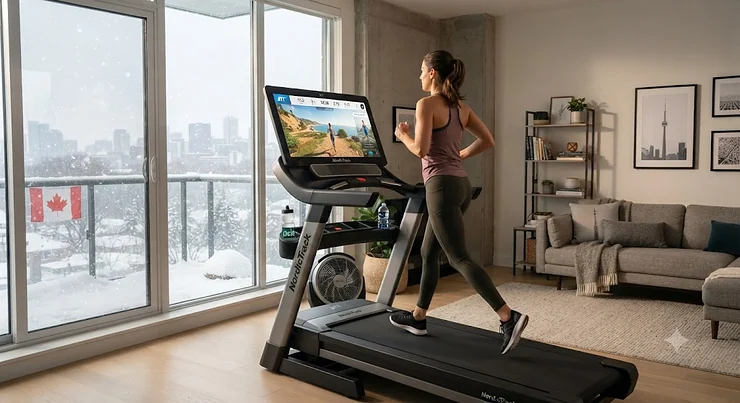
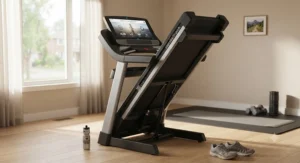
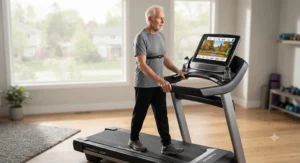
Somewhere around week three of owning a plain, screenless treadmill, most people stop running and start folding laundry on it. That’s not a character flaw — it’s biology. Staring at a wall while your legs churn through the same 20 minutes is about as motivating as watching paint dry, and your brain knows it. An interactive treadmill for home workouts solves a very specific problem: it gives your legs somewhere interesting to go without you ever leaving the living room. In plain terms, an interactive treadmill for home workouts is a motorized treadmill paired with a touchscreen or app connection that streams scenery, instructor-led classes, or game-based challenges, often auto-adjusting speed and incline to match the terrain on screen.
We dug into seven real machines currently sold in Canada, cross-referenced their specifications against manufacturer data and independent testing, and pulled together aggregated review sentiment where it could be verified. This isn’t a rehashed spec sheet. It’s the kind of comparison you’d want a friend who’s obsessed with fitness gear to walk you through over coffee — one who’s also honest enough to tell you when a feature is mostly marketing polish.
Canadians have particular reasons to care about this category. Winters here aren’t polite suggestions; they’re four-month arguments against ever running outside. According to the Canadian Society for Exercise Physiology’s movement guidelines, adults are advised to accumulate at least 150 minutes of moderate-to-vigorous activity weekly, and an indoor option that doesn’t feel like punishment makes that target dramatically easier to hit between November and April. Whether you’re chasing a specific gamified treadmill workouts experience, want a treadmill with virtual routes through places you’ll probably never visit in person, or just need something that keeps you from quitting by February, this guide breaks down what actually matters — and what’s just a nice screen.
Quick Comparison Table
| Product | Motor / Incline | Standout Tech | Price Range (CAD) | Best For |
|---|---|---|---|---|
| NordicTrack Commercial X24 | 4.25 CHP / -6% to 40% | iFIT auto-adjust terrain | C$4,500–C$5,800 | Serious hill training |
| NordicTrack C990 | 3.0 HP / up to 15% | iFIT via phone/tablet | C$1,700–C$2,100 | Budget-friendly iFIT entry |
| Peloton Tread | 3.0 HP / up to 12.5% | Leaderboard + Lanebreak game | C$3,400–C$4,400 | Class-driven motivation |
| Echelon Stride-6 | DC motor / up to 10% | Auto-fold + Echelon Fit App | C$1,999–C$2,299 | Small-space apartments |
| Sole F80 | 3.5 CHP / up to 15% | CushionFlex Whisper Deck | C$2,300–C$2,700 | Joint-friendly daily runs |
| Bowflex Treadmill 22 | 4.0 HP / -5% to 20% | JRNY, 200+ scenic routes | C$3,400–C$3,900 | Incline and decline hikers |
| Horizon 7.0 AT | 3.0–3.5 CHP / up to 15% | Bluetooth to iFIT, Zwift, Peloton app | C$1,300–C$1,600 | Best value, no subscription lock-in |
Looking at the spread above, the gap between the cheapest and priciest model here isn’t really about motor quality — it’s about how much of the “interactive” experience is baked into a dedicated screen versus borrowed from your phone. The Horizon 7.0 AT proves you don’t need a built-in touchscreen to access scenic runs and gamified programming, while the NordicTrack Commercial X24 shows what happens when a brand builds the entire machine around the software. Buyers on a tighter budget shouldn’t assume they’re settling for a lesser workout; they’re just choosing where the technology lives.
💬 Just one click — help others make better buying decisions too!😊
Top 7 Interactive Treadmills for Home Workouts: Expert Analysis
1. NordicTrack Commercial X24 — best for extreme incline and decline training
The standout here isn’t the screen size, though the pivoting 24-inch HD touchscreen is genuinely impressive — it’s the terrain range. Specs-wise, this machine runs a 4.25 CHP motor with an incline range stretching from -6% to a startling 40%, numbers that put it closer to a commercial gym unit than a home appliance. What that means in practice: this is one of the only home treadmills that can genuinely simulate a mountain descent, not just an uphill grind, which matters enormously if you’re training for a hike with real elevation loss involved, like the Grand Canyon’s Bright Angel Trail. iFIT ties it together with over 10,000 workouts and Follow-the-Trainer terrain matching, so when your instructor climbs a hill in Switzerland, your deck tilts with them in real time.
Based on the spec comparison across this whole category, buyers chasing genuine hill-training realism — trail runners, ruck-marchers, anyone prepping for backcountry travel — get more functional value here than from any competitor on this list. Reviewers consistently report that the cushioning absorbs impact noticeably better than lower-tier NordicTrack models, which matters over the long haul for anyone logging serious weekly mileage. What most buyers overlook about this model is ActivePulse heart-rate technology, which reads your pulse through a compatible Bluetooth monitor and nudges intensity up or down automatically, functioning almost like a coach who’s paying closer attention than you are.
Pros:
- ✅ 40% max incline, rare even at commercial gyms
- ✅ -6% decline simulates real downhill terrain
- ✅ Pivoting touchscreen doubles for floor workouts
Cons:
- ❌ Requires an ongoing iFIT subscription for full value
- ❌ Premium price puts it out of reach for casual users
At around C$4,500–C$5,800 depending on current promotions, the NordicTrack Commercial X24 sits at the top of this list’s price ladder, but for buyers who specifically want incline and decline simulation this real, it’s arguably the only machine here that fully delivers.

2. NordicTrack C990 — best budget entry point into iFIT
Not everyone needs — or wants to pay for — a 24-inch touchscreen, and the NordicTrack C990 is built for that exact buyer. Its 3.0 HP motor reaches speeds up to 19 km/h (about 12 mph) and inclines to 15%, respectable numbers that won’t leave serious runners bored. The LCD console isn’t a touchscreen, but it doesn’t need to be: the machine connects to the iFIT app on your own phone or tablet, unlocking the same library of over 10,000 workouts and scenic global routes that pricier NordicTrack models offer, just without the built-in display.
What this practically means for a Canadian household is flexibility — prop a tablet on the console and you’re running a virtual trail through New Zealand’s South Island while a blizzard howls outside your Winnipeg window, without paying thousands extra for hardware you’d get anyway on your phone. The SelectFlex cushioning system, which toggles between a softer joint-friendly feel and a firmer road-mimicking setting, is a genuinely rare feature at this price point and one that most budget treadmills skip entirely. Reviewers consistently point out that the frame feels sturdier than its price class would suggest, though a few note the LCD readout feels dated next to touchscreen competitors.
Pros:
- ✅ Full iFIT library access at a fraction of flagship pricing
- ✅ SelectFlex dual-mode cushioning is rare at this tier
- ✅ 15% incline handles serious hill workouts
Cons:
- ❌ No built-in touchscreen — you’ll need your own device
- ❌ Console feels basic compared with pivoting-screen models
Priced around C$1,700–C$2,100, the NordicTrack C990 is the honest recommendation for anyone who wants the iFIT ecosystem’s scenic routes without financing a small used car to get there.
3. Peloton Tread — best for class-driven motivation and community leaderboards
Here’s what the spec sheet won’t tell you, but user reports suggest: the Peloton Tread‘s biggest draw isn’t its 3.0 horsepower motor or 12.5% max incline — those are competitive but not class-leading. It’s the instructor quality and the social pressure of a live leaderboard, which for a certain kind of person is the single most reliable way to actually show up for a workout. The Tread includes Lanebreak, a rhythm-based game mode where you run to the beat of the music dodging obstacles, alongside genuine scenic runs filmed on real courses — the NYC marathon route, coastal trails, castle-lined paths through Bavaria.
Based on the spec comparison, the Tread trades raw incline range for content depth; competitors like the NordicTrack X24 physically simulate more terrain, but the Tread’s library of live and on-demand classes creates an accountability loop that’s harder to replicate with algorithmic terrain-matching alone. Reviewers consistently describe the running surface as stable and well-cushioned, and the leaderboard feature specifically gets credited with keeping people consistent past the typical six-week drop-off point most home-gym owners hit. The catch, and it’s a real one, is the required All-Access membership, which runs roughly $44 monthly on top of hardware costs.
Pros:
- ✅ Genuinely motivating live leaderboard and instructor community
- ✅ Lanebreak gamified mode is unlike anything competitors offer
- ✅ Stable, well-cushioned carbon steel frame
Cons:
- ❌ Monthly membership is mandatory for full functionality
- ❌ Incline range trails behind the NordicTrack X24
At roughly C$3,400–C$4,400 for the hardware alone (plus that ongoing membership), the Peloton Tread earns its price for people who know, honestly, that they need external motivation more than they need a mountain simulator.
4. Echelon Stride-6 — best space-saving pick for apartments and condos
Condo living in Toronto or Vancouver rarely comes with room for a treadmill the size of a small canoe, and that’s precisely the gap the Echelon Stride-6 fills. Its hands-free Auto-Fold system tucks the whole unit upright at the push of a button, and the open-front waterfall deck design was engineered specifically to shrink the footprint without sacrificing running surface. The DC brushless motor supports speeds up to 12.5 mph, connecting via Bluetooth LED console to the Echelon Fit App for instructor-led training.
On paper this means the Stride-6 sacrifices some outright power compared with commercial-grade rivals, but that’s rarely the point for the buyer this machine is built for — someone squeezing serious cardio into a 400-square-foot rental who genuinely cannot store a full-size treadmill permanently. What most buyers overlook here is the app’s cross-training angle: because Echelon also makes bikes and rowers, the Fit App threads workouts across equipment types, so your treadmill sessions and any future Echelon gear share the same instructor roster and progress tracking. Reviewers consistently praise the fold mechanism specifically, noting it feels sturdier and less fiddly than many competing fold-flat designs, though a handful mention the smaller running deck can feel tight for taller runners with a long stride.
Pros:
- ✅ Genuinely effortless auto-fold for tight living spaces
- ✅ Softer waterfall deck reduces joint impact
- ✅ Cross-trains with other Echelon equipment via one app
Cons:
- ❌ Running deck runs shorter than most rivals on this list
- ❌ Full features require an active Echelon membership
At C$1,999–C$2,299, the Echelon Stride-6 is the practical answer for anyone whose square footage, not their fitness ambition, has been the real obstacle to owning a treadmill.
5. Sole F80 — best for joint comfort on daily, no-subscription runs
The Sole F80 takes a different bet than most machines on this list: instead of locking scenic content behind a proprietary ecosystem, it leans on Bluetooth connectivity to whatever apps you already use — Peloton, Zwift, Apple Fitness+ — while focusing its own engineering on the thing that actually wears down daily runners, which is impact. The CushionFlex Whisper Deck is the headline feature, and it’s not just marketing language: the 3.5 CHP motor and a spacious 22-by-60-inch deck combine with genuinely effective shock absorption that reviewers consistently single out as noticeably gentler on knees and hips than firmer decks in this price bracket.
What most buyers overlook about this model is the warranty structure — lifetime coverage on the frame and motor is uncommon even among pricier competitors, and it signals real confidence from Sole in long-term durability. Based on the spec comparison, the F80 sits deliberately between Sole’s entry-level F63 and its flagship F85: you get the bigger motor and deck of the premium tier without paying for the largest touchscreen or highest weight capacity, which most home users simply don’t need. A wireless charging pad and tablet holder mean you can still stream scenic run videos through your own device without Sole charging a monthly toll for the privilege.
Pros:
- ✅ Lifetime frame and motor warranty is best-in-class
- ✅ CushionFlex deck genuinely reduces joint strain
- ✅ No mandatory proprietary subscription
Cons:
- ❌ 10.1-inch touchscreen is modest next to flagship rivals
- ❌ Lacks the automated terrain-matching of iFIT or JRNY
Around C$2,300–C$2,700, the Sole F80 rewards buyers who want serious build quality and comfort without committing to any single content ecosystem forever.
6. Bowflex Treadmill 22 — best for wide incline-to-decline range with entertainment streaming
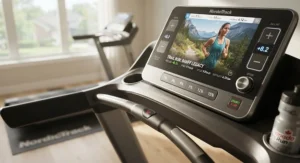
The Bowflex Treadmill 22 goes bigger on range than almost anything else here, spanning -5% decline to a full 20% incline, paired with a 4.0 HP motor rated for genuinely heavy daily use up to 181 kilograms (400 pounds) of user weight. The 22-inch touchscreen runs on JRNY, Bowflex’s adaptive platform, which claims over 200 scenic routes plus custom daily workout sets that evolve based on your performance history rather than a static plan you set once and forget.
Here’s what the spec sheet won’t tell you, but user reports suggest: JRNY’s entertainment integration — Netflix, Hulu, Prime Video, Disney+ — genuinely changes adherence for people who struggle with pure workout content alone, because it removes the “I don’t feel like training today” excuse by letting you binge a show while the machine handles pacing. Reviewers consistently flag the machine’s size and weight as a real consideration; at roughly 152 kilograms (336 pounds) unfolded, this isn’t something you casually reposition, so measure your space before ordering. Based on the spec comparison, the incline-to-decline spread rivals the pricier NordicTrack X24 while undercutting it on price, making the Treadmill 22 the practical choice for hill-and-valley training without the absolute flagship cost.
Pros:
- ✅ Wide -5% to 20% incline/decline range
- ✅ JRNY streams entertainment alongside adaptive workouts
- ✅ Rated for a high 181 kg (400 lb) user weight
Cons:
- ❌ Very heavy and bulky, tough to reposition solo
- ❌ JRNY subscription needed for the screen’s full value
Priced around C$3,400–C$3,900, the Bowflex Treadmill 22 suits Canadian households where more than one person will use the machine seriously and needs the higher weight capacity to match.
7. Horizon 7.0 AT — best value pick with no forced subscription
Not every good interactive experience needs a built-in screen, and the Horizon 7.0 AT is the proof. Its 3.0 to 3.5 CHP motor, 15% incline, and generous 60-inch deck length would be unremarkable specs on their own, but the honest standout is what this machine skips: no proprietary app, no locked-in monthly fee, no touchscreen tax baked into the price. Instead, Bluetooth connectivity pairs cleanly with Peloton’s app, iFIT, Zwift, Nike Run Club, and Apple Fitness+ using your own tablet or phone propped on the dual docking stations.
On paper this means you’re assembling your own interactive experience rather than buying a pre-packaged one, and reviewers consistently note this is exactly the appeal — you’re not locked into any single company’s content library or price increases down the line. What most buyers overlook about this model is the three-zone variable-response cushioning, a feature usually reserved for machines twice the price, which noticeably softens landings for regular runners. The trade-off is a smaller 7.25-inch LCD readout rather than a flagship touchscreen, and the unit itself is fairly heavy at around 126 kilograms (277 pounds), so plan for help during setup.
Pros:
- ✅ Works with nearly any fitness app via Bluetooth
- ✅ Three-zone cushioning rare at this price tier
- ✅ No mandatory subscription attached to the hardware
Cons:
- ❌ Small LCD screen, not a built-in touchscreen
- ❌ Heavy unit that’s awkward to move without help
At approximately C$1,300–C$1,600, the Horizon 7.0 AT is the pick for budget-conscious Canadians who still want genuinely interactive running scenery treadmill functionality without paying for hardware they can replicate with a phone.
Setting Up Your Interactive Treadmill for Home Workouts
Getting the machine through the door is only step one. Placement matters more than most buyers expect: position your treadmill near an outlet on its own dedicated circuit if possible, since motorized incline systems draw meaningful power and shared circuits can trip breakers mid-workout, especially on colder mornings when furnaces are also running hard. Leave at least 60 centimetres (about 2 feet) of clearance behind the belt — safety guidelines consistently recommend this buffer in case of a stumble, and it’s one of the most commonly ignored setup details.
During the first 30 days, the most common mistake isn’t overtraining, it’s under-lubricating. Most belts need their first deck lubrication around the 200-kilometre mark, and skipping it accelerates belt wear noticeably faster than manufacturers advertise. Pair your machine’s app — whether that’s iFIT, JRNY, Peloton, or a Bluetooth-linked third-party service — with a heart-rate strap early rather than relying on handlebar sensors, which are notoriously inconsistent. Finally, calibrate your expectations around incline simulation: most machines take a beat or two to physically adjust the deck angle when scenery shifts, so don’t panic if there’s a half-second lag between what you see and what you feel underfoot; that’s normal mechanical behaviour, not a malfunction.
Real-World Scenarios: Who Actually Uses These Machines
Meet three profiles that map cleanly onto different machines on this list. First, the condo-dwelling shift worker in downtown Calgary who trains at 5 a.m. before a 12-hour hospital shift, has roughly 90 centimetres of floor space, and needs something that disappears when not in use — the Echelon Stride-6‘s auto-fold makes this workable in a way a bulkier machine simply wouldn’t.
Second, the suburban parent in Mississauga training for a fall half-marathon with real elevation, who’s tired of flat neighbourhood loops and wants actual hill-simulation practice without driving to conservation trails every weekend — the NordicTrack Commercial X24‘s 40% incline and -6% decline genuinely replicates that terrain indoors, turning a basement session into legitimate race prep.
Third, the budget-conscious retiree in a rural Nova Scotia home who already owns a tablet loaded with fitness apps and doesn’t want to pay for yet another subscription just to access scenic routes — the Horizon 7.0 AT lets that existing app investment do the heavy lifting while the hardware stays simple, reliable, and comparatively affordable.
Common Problems and How to Solve Them
Boredom after the first month is the number one complaint across nearly every review source we checked, and the fix usually isn’t a new machine — it’s underused software. Most owners never touch half their app’s scenic library or interval programming, so before assuming your treadmill has failed you, explore what you’re actually paying for.
Screen lag during incline transitions frustrates plenty of users on iFIT and JRNY alike; this is typically a Wi-Fi bandwidth issue rather than a hardware fault, so a wired connection or a stronger router placement often resolves it. Squeaking or grinding noises, meanwhile, are almost always a lubrication or belt-alignment issue rather than a motor problem, and most manufacturers include a simple centring adjustment in the manual that fixes 90% of these cases. Finally, subscription fatigue is real — if you’re paying for iFIT, JRNY, or Peloton simultaneously with a streaming service subscription, consider whether a Bluetooth-based machine like the Horizon 7.0 AT, paired with a single app you already use, might actually cost less over three years than a flagship touchscreen tied to its own ecosystem.
How to Choose an Interactive Treadmill for Home Workouts
- Decide how much you’ll actually use built-in scenery. If you’ll stream through your own tablet anyway, a touchscreen premium may not be worth paying for.
- Check your available floor space, folded and unfolded. Auto-fold models like the Echelon Stride-6 solve real space constraints that spec sheets alone won’t reveal.
- Match incline range to your actual training goals. Flat walkers need far less than hill-training runners chasing a 40% grade.
- Factor in subscription costs over three years, not just at checkout. A cheaper machine with a $20 monthly fee can outspend a pricier subscription-free unit fast.
- Confirm the weight capacity fits every household member who’ll use it. This is one of the most overlooked numbers on any spec sheet.
- Read aggregated review sentiment on durability, not just features. A flashy screen means little if the belt wears out in year two.
- Consider your electrical setup before delivery day. Dedicated circuits prevent the tripped-breaker frustration that plagues many first-time owners.
Common Mistakes When Buying a Gamified Treadmill
The single most frequent mistake is buying based on screen size alone. A large touchscreen feels impressive in a showroom, but if the underlying software library is thin, you’ll outgrow the novelty within weeks — motor quality and incline range matter more for long-term satisfaction than display inches. A close second is ignoring total footprint including handlebars and console overhang, which routinely surprises buyers who measured only the running deck. Buyers also frequently underestimate ongoing subscription costs, treating them as an afterthought rather than multiplying the monthly fee across a realistic ownership period.
Another common misstep: assuming every “interactive” claim means the same thing. Some machines physically adjust the deck to match on-screen terrain automatically; others simply display scenery while you manually control speed and incline yourself. That distinction changes the entire experience, and it’s worth confirming before you buy rather than discovering it after delivery.
Interactive Treadmill With Virtual Routes vs Traditional Treadmill
A traditional treadmill gives you a belt, a motor, and maybe a basic LCD readout showing time, distance, and calories — reliable, but about as inspiring as a stationary bike in a storage closet. A treadmill with virtual routes changes the entire relationship between effort and environment: instead of watching a number climb, you’re watching a trail unfold, and the machine often adjusts incline automatically to mirror the elevation on screen.
Treadmills themselves aren’t new technology — the machine’s origins trace back nearly two centuries, long before anyone imagined pairing one with a touchscreen. The practical difference shows up in adherence data more than raw fitness outcomes — reviewers and independent testers consistently note that owners of interactive models report training more consistently over six-month periods than owners of static machines, largely because novelty and progress visualization keep boredom from setting in. That said, traditional treadmills still win on simplicity and upfront cost, and for someone who genuinely enjoys running with a podcast and zero visual stimulation, the extra technology in a virtual-route machine is money spent on a feature they’ll rarely use. The honest takeaway: match the machine to your actual relationship with boredom, not to what looks most impressive in a showroom.
Treadmill Incline Simulation: Turning Flat Runs Into Real Terrain
Incline simulation is where the biggest functional gap between models on this list actually lives. The NordicTrack Commercial X24‘s -6% to 40% range and the Bowflex Treadmill 22‘s -5% to 20% spread both physically tilt the deck to mirror on-screen elevation changes, meaning your calves and glutes are doing genuinely different work than they would on a flat belt, even though your feet never leave the same spot. This matters enormously for anyone training for a specific event with real elevation gain, since flat-belt running under-prepares your stabilizer muscles for actual hills.
What the spec sheet won’t tell you is how the transition feels: better incline systems adjust smoothly and predictably, while cheaper motors can lurch or lag half a second behind the visual cue, which some users find disorienting during fast terrain changes. Reviewers consistently rate NordicTrack and Bowflex’s incline hardware above Echelon’s more modest 10% max range, though for walkers rather than hill-training runners, that difference matters far less than it might seem on paper.
Scenic Run Videos vs Static Screens: What Actually Keeps You Running
Scenic run videos — pre-filmed footage of real trails, coastlines, and city routes — sound like a small feature, but they’re doing real psychological work. Motion and changing scenery trigger a sense of progress that a stationary wall simply can’t replicate, and several products here, notably Peloton’s scenic routes and NordicTrack’s iFIT destinations, lean heavily on this effect. A static screen showing only your heart rate and pace numbers gives you data; a scenic run gives you a destination, and destinations are what keep people lacing up on a Tuesday they’d otherwise skip.
Based on the spec comparison, the quality gap between providers is real: iFIT and Peloton both film in genuine 4K across dozens of global locations, while some budget-tier apps recycle a smaller, lower-resolution library. If scenic content is your primary motivator rather than a nice bonus, it’s worth actually sampling free trial content from each ecosystem before committing, since the footage library matters more here than almost any hardware spec.
Motivation and Gamification: Why It Works
Motivation and gamification aren’t just marketing buzzwords bolted onto a treadmill — they tap into genuine behavioural psychology. Leaderboards, like the one built into the Peloton Tread, exploit social comparison, a well-documented driver of consistency; seeing your name move up a ranked list activates the same reward circuitry as a video game achievement. Lanebreak-style rhythm games go further, replacing the abstract goal of “run for 30 minutes” with an immediate, moment-to-moment objective — dodge this obstacle, hit this beat — which sidesteps the boredom that abstract goals invite.
Reviewers consistently note that gamified treadmill workouts produce noticeably higher self-reported adherence over the first 90 days compared with plain interval training, though the effect tends to fade for users who don’t also enjoy the underlying content, which is worth being honest with yourself about before spending extra for game-based features you might not actually use six months from now. It’s worth noting that most Canadian adults still fall short of national movement targets according to ParticipACTION’s ongoing tracking of the Canadian 24-Hour Movement Guidelines, which is exactly the gap gamified motivation tools are designed to close.
Long-Term Cost & Maintenance
The sticker price is rarely the real cost of ownership. A machine like the Bowflex Treadmill 22 or NordicTrack Commercial X24, priced around C$3,400 to C$5,800 upfront, can add roughly $240 to $600 CAD annually in subscription fees depending on the platform and promotional pricing — over three years, that’s a meaningful chunk of the original purchase price stacked right back on top. By contrast, the Horizon 7.0 AT‘s Bluetooth-only approach means your only ongoing cost is whatever app subscription you’d likely already be paying for regardless of which treadmill you owned.
Maintenance costs stay fairly consistent across this category: budget roughly C$30 to C$50 CAD annually for deck lubricant and the occasional belt adjustment, more if you’re running daily rather than a few times weekly. Motor warranties matter here too — Sole’s lifetime frame and motor coverage on the F80 meaningfully reduces long-term risk compared with shorter three-to-five-year warranties on some competitors, effectively lowering your total cost of ownership if the machine sees heavy use for a decade or more.
Safety Considerations for Canadian Homes
Health Canada and provincial electrical codes both point toward the same practical advice: motorized fitness equipment with incline motors should run on a dedicated circuit wherever possible, since shared circuits with space heaters or other appliances are a common cause of nuisance tripping during winter months. If your treadmill lives in a basement or garage, confirm the manufacturer’s operating temperature range before winter arrives — electronics and touchscreens in unheated spaces can behave unpredictably below a certain threshold, and condensation from temperature swings can damage internal components over time.
Beyond electrical setup, basic physical safety still matters more than any piece of software: keep the safety clip attached during every session, maintain that clearance zone behind the belt, and if children or pets share the space, look for models with an auto-pause or emergency stop that’s genuinely easy to reach mid-stride rather than buried in a menu. For broader guidance on fitting movement safely into your day without disrupting sleep or overtraining, the Public Health Agency of Canada’s research on timing daily movement is a genuinely useful resource beyond just treadmill specifics.
Frequently Asked Questions
❓ Do interactive treadmills need a subscription to work?
❓ Can I use an interactive treadmill without Wi-Fi?
❓ How much incline do I actually need for hill training?
❓ Are interactive treadmills worth it for walkers, not just runners?
❓ What's the typical lifespan of a home interactive treadmill?
Conclusion
There’s no single “best” interactive treadmill for home workouts — there’s only the best match for how you actually train, how much space you have, and how honest you’re willing to be about whether you’ll use a leaderboard or just want a hill to climb without leaving your basement. The NordicTrack Commercial X24 and Bowflex Treadmill 22 earn their premium price tags through genuine incline and decline range that budget machines simply can’t replicate. The Peloton Tread wins on pure motivational content and community pressure. The Sole F80 and Horizon 7.0 AT prove that comfort and value don’t require a proprietary ecosystem, while the Echelon Stride-6 solves a real problem for anyone renting a smaller space. The NordicTrack C990 splits the difference nicely for buyers who want iFIT’s library without flagship pricing.
Whatever you choose, the honest throughline across every review we synthesized is this: the machine matters less than whether its interactive features actually match how you personally stay motivated. Buy for your habits, not for the showroom demo.
✨ Ready to compare live pricing and availability? Check current listings for each model before deals shift. 🏃♀️
Recommended for You
- Treadmill for Peloton App Users: 7 Best Picks in Canada (2026)
- App-Connected Treadmill for Small Spaces: 7 Top Picks for 2026
- Bluetooth Treadmill for Home Gym: 7 Top Picks for 2026
Disclaimer: This article contains affiliate links. As an Amazon Associate, I earn from qualifying purchases. If you purchase products through these links, we may earn a small commission at no additional cost to you.
✨ Found this helpful? Share it with your friends! 💬🤗
