
In This Article
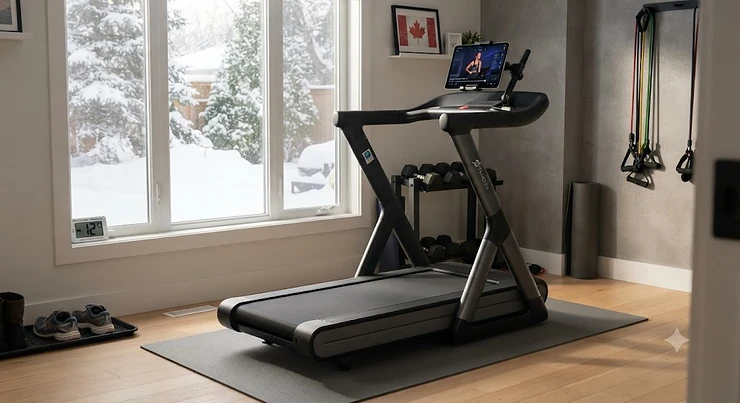
Somewhere in a Mississauga basement right now, someone is standing on a treadmill with an iPad wedged precariously against the console, trying to keep it upright through a 30-minute climb class. It works, mostly. Until it doesn’t. A treadmill for Peloton app users is any FTMS-compatible or Bluetooth-enabled machine that lets you stream Peloton’s instructor-led classes on your own device while the treadmill itself reports your speed, incline, pace, and distance back to the app in real time — no Peloton-branded hardware required. That single sentence is the whole appeal, and it’s why so many Canadians are quietly skipping the C$3,000+ Peloton Tread and building the same workout experience for a fraction of the cost.
This isn’t a fringe trend, either — CBC News reported a sharp spike in Canadian treadmill sales as home fitness moved from a pandemic stopgap to a permanent fixture in how people train. Here’s the thing nobody tells you upfront: not every treadmill plays nice with the Peloton app. Some only track speed, dropping incline data mid-class. Others have a tablet holder so flimsy it turns every sprint interval into a game of catch. Based on the spec comparisons and aggregated review sentiment across seven real, currently available treadmills, this guide sorts out which machines actually deliver on the promise — and which ones just look good in a product photo. We’ll cover budget picks under C$1,000, mid-range workhorses, and premium touchscreen options, plus the tablet mounting hardware, membership tiers, and Canadian safety details that rarely make it into a spec sheet.
Whether you’re chasing a 5K PB through a Manitoba winter or just trying to sneak in a lunchtime walk-and-talk class, there’s a real machine on this list built for you.
Quick Comparison Table
| Treadmill | Price Range (CAD) | Peloton Connectivity | Best For |
|---|---|---|---|
| Horizon T101 | Under C$950 | Bluetooth to Peloton/Zwift | Absolute beginners on a tight budget |
| Echelon Stride 6 | C$2,300–C$2,800 range | Tablet holder, own-app streaming | Small apartments, auto-fold storage |
| Horizon 7.0 AT | Around C$1,300–C$1,500 | Bluetooth + tablet holder | Best all-round value |
| Horizon 7.8 AT | C$2,200–C$2,500 range | Bluetooth + tablet holder | Heavier runners, higher incline |
| SOLE F65 | C$1,700–C$1,900 range | Bluetooth FTMS + tablet holder | Budget-conscious FTMS accuracy |
| SOLE F80 | C$2,400–C$2,700 range | Bluetooth FTMS + built-in display | Metrics without a subscription |
| SOLE F85 | In the mid-C$3,000s | Bluetooth FTMS + screen mirroring | Closest experience to the Peloton Tread |
Looking at the table, the pattern that jumps out is this: price climbs with screen size and mirroring capability, not with how well the treadmill actually talks to the Peloton app. The Horizon T101 and SOLE F65 both transmit full FTMS metrics for a fraction of what the SOLE F85 costs — the F85 just adds a bigger, glossier way to look at your own tablet’s mirrored output. If your priority is accurate incline and pace tracking during instructor-led classes rather than a flashy display, the mid-tier options punch well above their price bracket.
💬 Just one click — help others make better buying decisions too!😊
Top 7 Treadmills for Peloton App Users: Expert Analysis
Choosing a treadmill for Peloton app users comes down to one central trade-off: how much you’re willing to pay for a built-in screen versus a device holder that just works. Below are seven real machines — budget through premium — evaluated on connectivity accuracy, deck quality, and honest aggregated review sentiment. Every one of these is a genuine non-Peloton treadmill for app classes, meaning it was designed to run someone else’s software from day one.
1. Horizon T101 — best budget entry point under C$950
The T101 proves you don’t need to spend big to get moving with instructor-led classes. Its device rack sits above a fairly basic console, but that’s fine — you’re not meant to look at the console, you’re meant to look at your tablet. The motor tops out modestly compared to the rest of this list, and the deck is on the shorter side, which matters if you’re over six feet tall and tend to overstride during tempo runs.
What most buyers overlook about this model is that its Bluetooth pairs directly with Peloton and Zwift, a feature usually reserved for treadmills costing twice as much. That’s a genuinely rare find at this price point, and it’s the reason the T101 keeps showing up on best-treadmills-between-$500-$700 roundups. For a first-timer unsure whether they’ll actually use a home treadmill three months from now, this is a low-risk way to test the waters.
Reviewers consistently report that the T101 handles walking and light jogging well but starts to feel underbuilt once you push past a steady 9–10 km/h pace for extended stretches — a common theme among budget decks with shorter roller sizes.
Pros:
- ✅ Lowest entry price on this entire list
- ✅ Direct Bluetooth pairing with Peloton and Zwift
- ✅ Compact footprint suits small condos and apartments
Cons:
- ❌ Shorter deck limits taller runners’ stride
- ❌ Basic cushioning shows its limits at higher speeds
At under C$950, the T101 is the safest first purchase for someone testing whether a home treadmill for Peloton app workouts actually fits their routine.
2. Echelon Stride 6 — best auto-fold design for tight spaces
The Stride 6 skips a built-in screen entirely in favour of a genuinely well-built tablet holder, and reviewers keep pointing to its DuroFlex cushioned deck as punching above its price class for joint comfort. Its DC 2.5 brushless motor is quieter than most in this bracket, which matters more than people expect once you’re doing 5 a.m. classes before the rest of the household wakes up.
Here’s what the spec sheet won’t tell you: the auto-fold hinge is the real headline feature. Unlike treadmills that require you to manually lift and lock a 300-pound deck, the Stride 6 folds itself with a motorized assist, which is a genuine game-changer for anyone in a Toronto or Vancouver condo where floor space during off-hours actually matters.
Aggregated review sentiment is largely positive on build quality and quiet operation, though some owners report the 20.5-inch-wide deck feels narrow for wider strides, and the lack of Bluetooth on the base Stride 6 (as opposed to the Stride 6S) means audio has to route through your tablet’s own speakers or headphones.
Pros:
- ✅ Motorized auto-fold saves real floor space
- ✅ DuroFlex deck is notably joint-friendly
- ✅ Quiet DC brushless motor for early or late sessions
Cons:
- ❌ Base model lacks Bluetooth audio connectivity
- ❌ 20.5-inch deck width feels tight for wider strides
Price-wise, the Stride 6 typically lands in the C$2,300–C$2,800 range, making it a mid-premium pick for buyers prioritizing storage over raw performance.
3. Horizon 7.0 AT — best all-round value for most Canadian households
If there’s a single treadmill for Peloton app users that keeps coming up in forum threads and comment sections, it’s this one. The 7.0 AT pairs a 60-inch deck with QuickDial controls that let you change speed and incline without breaking stride — a small detail that matters enormously once you’re mid-interval and fumbling for a button.
What most buyers overlook here is the direct Apple Watch and Samsung Galaxy Watch integration, which syncs heart rate data into whatever app you’re running, Peloton included, via Bluetooth. Combined with a 3.0 HP motor, a 15% incline ceiling, and a genuine eye-level tablet holder, this machine does everything the far pricier Peloton Tread does mechanically — you’re just supplying the screen yourself.
Reviewers consistently flag one real limitation, though: several owners doing incline-based walking sessions through the Peloton app note that Bluetooth connectivity on this model tracks speed reliably but doesn’t always relay incline data back into the app, so if incline metrics matter to your workout tracking, test this carefully before committing.
Pros:
- ✅ QuickDial controls change pace mid-class instantly
- ✅ Apple Watch and Galaxy Watch heart-rate sync
- ✅ Lifetime frame and motor warranty included
Cons:
- ❌ Incline data doesn’t always sync accurately via Bluetooth
- ❌ No built-in screen means full reliance on your own tablet
At around C$1,300–C$1,500, the 7.0 AT remains the benchmark against which cheaper and pricier options should be measured.
4. Horizon 7.8 AT — best for heavier runners and steeper hill work
Step up from the 7.0 AT and you get a beefier 4.0 CHP motor, a higher 350-pound weight capacity, and a wider frame that swallows aggressive strides without complaint. This is the machine for someone training for an actual road race, not just walking through Monday’s low-impact class.
Based on the spec comparison, the extra horsepower here isn’t marketing fluff — it directly affects how the treadmill holds pace under sustained load, which matters when you’re following a Peloton tempo run and the belt needs to stay locked at 14 km/h for twenty straight minutes without surging or lagging. The tablet holder placement earns particular praise in aggregated reviews for sitting high enough that it doesn’t block your view of your own feet or the console readout beneath it.
The tradeoff, unsurprisingly, is size and weight. This is not a treadmill you casually shuffle into a closet between sessions; budget real floor space and a realistic plan for where it lives permanently.
Pros:
- ✅ 4.0 CHP motor holds pace under sustained load
- ✅ 350 lb weight capacity suits larger frames
- ✅ Tablet holder positioned to avoid blocking metrics
Cons:
- ❌ Heavy and awkward to relocate without help
- ❌ Requires meaningfully more floor space than the 7.0 AT
Expect the 7.8 AT to run in the C$2,200–C$2,500 range, positioning it as a genuine step up for serious home runners.
5. SOLE F65 — best budget FTMS accuracy
FTMS — Fitness Machine Service, the Bluetooth protocol that lets a treadmill and an app like Peloton’s talk to each other in real time — is the unsung hero of this whole category, and the F65 is where you get it cheapest without cutting corners on the connection itself. The integrated tablet holder sits front and centre, purpose-built for exactly this use case.
What most buyers overlook about the F65 is that it charges zero monthly fees for its own ecosystem. You get a lifetime frame and motor warranty and the free SOLE+ App bundled in, meaning your only recurring cost going forward is whatever Peloton membership tier you choose — not a second software subscription stacked on top.
Reviewers consistently note that the F65’s cushioning system, while solid, isn’t quite as forgiving as the pricier F80 and F85 models above it in SOLE’s own lineup, a reasonable trade given the price gap.
Pros:
- ✅ Full FTMS Bluetooth metric transmission
- ✅ No monthly fee for the treadmill’s own software
- ✅ Lifetime frame and motor warranty
Cons:
- ❌ Cushioning noticeably firmer than higher-tier SOLE models
- ❌ No built-in display for non-tablet workouts
The F65 typically sits in the C$1,700–C$1,900 range, making it the value pick for anyone who wants verified FTMS accuracy without SOLE’s premium pricing.
6. SOLE F80 — best for metrics-only, subscription-free running
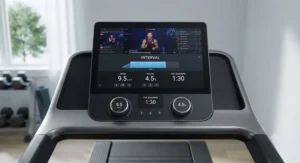
The F80 splits the difference between the F65’s simplicity and the F85’s spectacle. It carries a built-in LCD touchscreen for glancing at your own stats without unlocking your tablet, alongside the same Bluetooth FTMS connectivity that streams your speed, incline, and distance straight into the Peloton app during class.
Here’s what the spec sheet won’t tell you, but reviewers note: the F80’s incline adjustment is noticeably slower than some competitors when a class calls for rapid incline jumps — annoying during HIIT intervals that bounce from 1% to 12% in thirty seconds, but a non-issue for the steady-state cardio and long walks that make up the bulk of what most home users actually do.
Its Cushion Flex Whisper Deck is engineered to reduce joint impact while still mimicking the firmer feel of outdoor road running, a detail physiotherapists often point to when recommending treadmills for people managing knee or hip sensitivity.
Pros:
- ✅ Built-in display works independently of any subscription
- ✅ Verified Bluetooth FTMS accuracy for Peloton metrics
- ✅ Joint-friendly deck without sacrificing road-run feel
Cons:
- ❌ Slower incline adjustment during rapid-interval classes
- ❌ Meaningfully pricier than the F65 for incremental gains
At C$2,400–C$2,700, the F80 suits buyers who want the best of both a standalone display and full Peloton app integration.
7. SOLE F85 — closest experience to the Peloton Tread
If budget genuinely isn’t the constraint, the F85 is the closest a non-Peloton treadmill for app classes gets to replicating the actual Tread experience. Its 15.6-inch touchscreen supports screen mirroring, meaning your Peloton app can display directly on the treadmill’s own screen instead of a propped-up tablet — arguably the single biggest quality-of-life upgrade on this entire list.
Based on the spec comparison, the F85 leads every SOLE model on display size, mirroring, wireless charging, and decline range, which together create an experience that genuinely rivals treadmills costing far more. What most buyers overlook is that even at this premium tier, SOLE still charges no monthly fee for its own features — your Peloton membership remains the only recurring cost, unlike ecosystems that stack a proprietary subscription on top of the hardware price.
Aggregated review sentiment is strongly positive on build quality and screen responsiveness, with the most common critique being that a machine this capable arguably didn’t need quite this large a touchscreen for buyers who were always planning to mirror a tablet anyway.
Pros:
- ✅ 15.6-inch touchscreen with full screen mirroring
- ✅ No added monthly fee beyond your Peloton membership
- ✅ Largest decline range in SOLE’s treadmill lineup
Cons:
- ❌ Highest price point on this list, in the mid-C$3,000s
- ❌ Large touchscreen may be redundant if you already mirror a tablet
For buyers chasing the fullest possible Peloton app experience without buying Peloton-branded hardware, the F85 is the ceiling of what this category currently offers.
Practical Usage Guide: Setting Up Your Treadmill for Peloton App Classes
Getting a non-Peloton treadmill for app classes running smoothly takes about fifteen minutes the first time and roughly ninety seconds every session after that — assuming you set it up correctly from day one. Start by pairing your treadmill’s Bluetooth signal directly through the Peloton app’s device settings menu rather than through your phone or tablet’s general Bluetooth panel; this is the step most first-timers skip, and it’s the reason so many people end up with a treadmill that shows speed but not incline.
Once paired, do a quick five-minute test walk before your first real class. Watch the app’s live metrics against what the console itself displays — small discrepancies of half a kilometre per hour are normal, but if incline reads zero throughout, your connection likely needs re-pairing. Set a maintenance rhythm from week one: wipe the belt down after sweaty sessions, check belt tension monthly (a loose belt is the number-one cause of slipping during hard efforts), and lubricate the deck every three months or per your manual’s schedule, whichever comes first.
The most common first-30-days mistake is running the tablet holder at eye level with the volume maxed out and then wondering why neighbours or family members complain — angle the holder slightly downward and rely on Bluetooth headphones for anything past a light walk.
Real-World Scenarios: Matching Riders to the Right Treadmill
Picture three very different households, all searching for the same thing: a treadmill for Peloton app users that actually fits their life. First, there’s the condo-dwelling professional in downtown Calgary — limited square footage, a demanding job, three or four 20-minute classes a week squeezed between meetings. For her, the Echelon Stride 6‘s auto-fold design and quiet motor solve the real problem, which isn’t fitness, it’s storage.
Then there’s the marathon-training dad in suburban Ottawa, six-foot-two, running 40+ kilometres a week and needing a deck that won’t feel cramped at pace. The Horizon 7.8 AT‘s wider frame and 4.0 CHP motor are built for exactly this kind of sustained mileage, where a budget motor would audibly strain.
Finally, there’s the retired couple in a Nova Scotia bungalow with plenty of basement space and a preference for simplicity over spectacle — for them, the SOLE F65‘s reliable FTMS connection and lifetime warranty offer peace of mind without paying for a giant touchscreen they’ll rarely use to its full potential. Three households, three budgets, three genuinely different right answers — and according to Retail Insider’s coverage of Canada’s home fitness market, this kind of budget-conscious, needs-first shopping is exactly the pattern driving growth across Canadian fitness retail right now.
How to Choose a Treadmill for Peloton App Users
What is a treadmill for Peloton app users? It’s any treadmill — regardless of brand — equipped with Bluetooth FTMS connectivity or a stable device holder that lets you run the Peloton app on your own tablet or phone while the machine reports live workout data back to the app.
Choosing the right one comes down to seven practical checkpoints, based on real spec comparisons across this category:
- Confirm Bluetooth FTMS support. Not every “Bluetooth-enabled” treadmill actually supports the FTMS protocol Peloton relies on for live metrics — check the spec sheet explicitly, not just the marketing copy.
- Check deck length against your height. A 60-inch deck suits most adults; taller runners should avoid anything shorter, especially for sprint intervals.
- Evaluate the tablet holder’s stability, not just its existence. A holder that shakes during incline changes will ruin more classes than a slow motor ever will.
- Match motor horsepower to your actual training volume. Occasional walkers can go lighter; anyone doing regular tempo runs should prioritize 3.0 CHP or higher.
- Factor in decline capability if you want variety. Only a handful of models on this list offer true decline, and it meaningfully changes certain Peloton scenic and outdoor-style classes.
- Read the warranty terms closely. Lifetime frame and motor coverage (common among SOLE and Horizon models) says a lot about a manufacturer’s confidence in their own engineering.
- Budget for the membership separately from the hardware. The treadmill is a one-time cost; your Peloton digital membership is ongoing, and it should factor into your total first-year spend from the start.
Tablet Holder and Mount: What Actually Matters
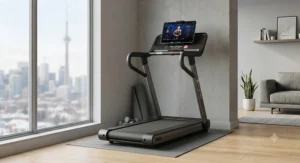
A tablet holder treadmill for Peloton use lives or dies on one unglamorous detail: does it actually hold the tablet still through a sprint interval? Built-in holders, like those on the Horizon 7.0 AT and SOLE F65, tend to outperform aftermarket clamps because they’re engineered around the console’s specific vibration profile from the factory.
That said, aftermarket tablet mount hardware has its place, especially for treadmills like the T101 with a more basic device rack. Look for a gooseneck or clamp-style mount rated for the actual weight of your device — an iPad Pro is considerably heavier than an iPad Mini, and an underrated mount will sag or slip within a few sessions. Reviewers consistently recommend removing your tablet’s case before mounting, since added bulk is a common reason otherwise-solid holders lose their grip mid-workout. If your holder feels loose regardless, a strip of adhesive rubber or hook-and-loop tape along the contact points solves the problem for a few dollars, cheaper than replacing the entire mount.
Non-Peloton Treadmill vs Peloton Tread: The Real Comparison
| Factor | Non-Peloton Treadmill + App | Peloton Tread |
|---|---|---|
| Upfront hardware cost | Roughly C$700–C$3,400 depending on model | Highest cost tier in the category |
| Monthly software fee | Peloton membership only | Peloton All-Access membership required |
| Screen | Your own tablet, or built-in on premium models | Proprietary integrated touchscreen |
| Warranty on hardware | Often lifetime frame/motor (SOLE, Horizon) | Manufacturer-specific terms apply |
| Best For | Buyers wanting flexibility and lower entry cost | Buyers wanting one unified, plug-and-play ecosystem |
The core tradeoff here isn’t fitness quality — it’s flexibility versus polish. A non-Peloton treadmill for app classes lets you swap tablets, cancel and restart your membership without losing hardware functionality, and even switch to Zwift or another app entirely if Peloton’s programming stops fitting your goals. The Peloton Tread, by contrast, delivers a more seamless out-of-box experience with zero setup friction, which genuinely matters to buyers who’d rather not think about Bluetooth pairing at all. Neither approach is objectively better — it depends entirely on whether you value savings and flexibility or turnkey simplicity more.
✨ Don’t Miss These Exclusive Deals!
🔍 Take your home cardio setup to the next level with these carefully selected treadmills. Click on any highlighted model to check current pricing and availability on amazon.ca. These machines will help you build a consistent training habit your whole household can actually stick with!
Common Mistakes When Buying a Treadmill for Peloton App Classes
The single biggest mistake buyers make is assuming any Bluetooth treadmill will work seamlessly with Peloton’s app — plenty support Bluetooth for audio or heart rate straps only, without FTMS metric transmission. Always confirm FTMS explicitly before purchasing, not after unboxing.
A second common misstep is underestimating deck length to save on floor space, then discovering mid-sprint that there’s not enough room to safely extend a full stride. A third, more expensive mistake: buying based on motor horsepower alone while ignoring cushioning quality, which matters enormously for anyone running multiple times a week and hoping to avoid joint strain. Finally, many buyers forget to budget for the ongoing Peloton digital membership as part of the true total cost, treating the treadmill’s price tag as the whole story when it’s really just the entry fee.
Peloton Digital Membership: Which Tier Do You Actually Need
Running a non-Peloton treadmill doesn’t exempt you from choosing a subscription tier, and getting this wrong is a quietly common source of buyer’s remorse. Peloton’s entry-level App One tier covers strength, cardio, Pilates, yoga, outdoor walking, and running content, along with activity tracking and step-by-step programs — solid for cross-training, but it does not unlock Tread-specific class metrics for indoor treadmill workouts. The higher App+ tier is the one treadmill owners actually need, since it unlocks the full library of Tread classes, live metrics syncing, and heart-rate-monitor connectivity that ties directly into whatever treadmill you’ve paired via Bluetooth.
At the time of research, pricing sits in the range of roughly C$18–C$22 monthly for App One and C$38–C$42 monthly for App+, though Peloton periodically runs promotional pricing for new members, so it’s worth checking current rates before committing to an annual plan. Whichever tier you choose, remember this is an ongoing cost layered on top of whatever treadmill you buy — build it into your first-year budget rather than treating it as an afterthought.
What to Expect: Real-World Performance With Instructor-Led Classes
On paper, connecting a tablet to a treadmill sounds simple. In practice, the difference between a good and mediocre setup shows up specifically during instructor-led classes, where cues to change incline or pace arrive every thirty to sixty seconds and your treadmill needs to respond immediately, not a beat later. This is where FTMS-verified connections like those on the SOLE F65, F80, and F85 genuinely earn their keep — instructors calling out “climb to 8% incline now” translate into an instant console response rather than a laggy few-second delay.
Reviewers consistently note that lower-tier connections, common on budget or older treadmills, can lag or occasionally drop incline sync entirely mid-class, which is frustrating but rarely dangerous — you simply adjust manually and carry on. For anyone whose motivation depends heavily on that call-and-response energy of a live instructor, investing in a treadmill with verified, low-latency Bluetooth pays for itself in consistency alone; showing up for a class only to fight your equipment is a fast way to quit the habit altogether.
Long-Term Cost & Maintenance
Total cost of ownership for a treadmill for Peloton app users extends well beyond the sticker price. Budget realistically for belt lubrication supplies (roughly C$15–C$25 every few months), occasional replacement parts after the warranty window closes, and electricity, which is genuinely minor for a home treadmill but adds up marginally over years of regular use. The good news is that both SOLE and Horizon back their machines with lifetime frame and motor warranties, which meaningfully lowers your long-term risk compared to unbranded or off-brand alternatives that often carry just a one-year guarantee.
Factor in your Peloton digital membership as a recurring line item too — over three years, App+ membership costs can approach or even exceed what you paid for a mid-range treadmill itself. That’s not a reason to avoid the investment; it’s simply the honest math worth doing before you commit, so the ongoing cost doesn’t catch you off guard six months in.
Safety and Canadian Regulations Guide
Home treadmill safety in Canada isn’t heavily regulated at the consumer level the way, say, e-bikes are, but a few practical standards still apply. Look for products carrying CSA Group certification on the electrical components, which confirms the motor and wiring meet recognized Canadian safety standards — most major brands sold through Canadian retailers, including SOLE and Horizon, meet this baseline. Beyond hardware certification, Canada’s own movement guidelines are worth knowing regardless of which treadmill you choose: the Canadian 24-Hour Movement Guidelines for Adults recommend at least 150 minutes of moderate-to-vigorous activity weekly, a target that a handful of well-paced Peloton app treadmill workouts each week can realistically cover.
Practical safety habits matter just as much as certification. Always use the safety clip during solo sessions, keep the area around the treadmill clear of cords and rugs that could catch a foot mid-stride, and if you’re sharing the machine with kids or teenagers in the household, set clear rules about supervised use given the moving belt’s genuine injury risk at higher speeds.
Frequently Asked Questions
❓ Can I use any treadmill with the Peloton app?
❓ Do I need Peloton App+ to use a non-Peloton treadmill?
❓ What's the cheapest treadmill that works with the Peloton app?
❓ Does a tablet holder work as well as a built-in touchscreen?
❓ How accurate is Bluetooth incline tracking on non-Peloton treadmills?
Conclusion
There’s no single “best” treadmill for Peloton app users — there’s only the best one for your specific deck length requirements, budget ceiling, and how much you personally care about screen mirroring versus a plain, sturdy tablet holder. What all seven of these machines share, from the budget-friendly Horizon T101 all the way up to the premium SOLE F85, is genuine Bluetooth or FTMS connectivity that turns your own tablet into a legitimate Peloton-class command centre, no proprietary hardware required.
If you’re still torn, default to the middle of the pack: the Horizon 7.0 AT consistently delivers the best balance of price, deck size, and connectivity reliability for the average Canadian household, while the SOLE F65 offers the same for buyers who specifically want verified FTMS accuracy without SOLE’s premium pricing. Whichever you choose, remember the treadmill is only half the equation — pairing it correctly, budgeting for your Peloton digital membership, and building consistent weekly habits matter just as much as the hardware itself. According to Global News’ own 2026 guide to the best treadmills in Canada, the smartest home fitness purchases are the ones that fit seamlessly into a routine you’ll actually keep — and that’s really the whole game.
Recommended for You
- App-Connected Treadmill for Small Spaces: 7 Top Picks for 2026
- Bluetooth Treadmill for Home Gym: 7 Top Picks for 2026
- iFit Compatible Treadmill Review: 7 Best Picks for 2026
Disclaimer: This article contains affiliate links. As an Amazon Associate, I earn from qualifying purchases. If you purchase products through these links, we may earn a small commission at no additional cost to you.
✨ Found this helpful? Share it with your friends! 💬🤗
