
In This Article
Somewhere between “I should really start running” and actually owning a treadmill sits a very Canadian problem: most machines with real smart features live north of $2,000, and a lot of the “connected” budget options are, frankly, a glorified digital pedometer bolted to a belt. So what is a WiFi treadmill under $1200 CAD? It’s a motorized home treadmill priced below roughly C$1,200 that connects — via Bluetooth or true WiFi — to a companion app for tracking workouts, streaming classes, or syncing stats to platforms like Apple Health, Google Fit, or a proprietary fitness ecosystem. That’s the definition. The reality, as you’re about to see, is a lot more interesting.
We dug through real product listings, verified specs, and aggregated review sentiment to find seven genuinely good options — from a C$400 under-desk walking pad to a near-C$1,200 touchscreen machine that flirts with premium territory. Along the way we’ll cover the stuff most listings skip: how your home internet setup actually affects your console, why firmware updates matter more than marketing decks let on, and which specs are worth paying extra for. If you’ve been Googling a treadmill with app syncing under $1200 and getting nothing but sponsored posts, this is the deep dive you were hoping for.
Physical activity guidelines from the Public Health Agency of Canada recommend adults get regular moderate-to-vigorous aerobic activity every week, and a home treadmill is one of the few tools that makes hitting that target genuinely weather-proof. Let’s get into which one deserves your basement, bedroom corner, or condo hallway.
Quick Comparison Table
| Category Winner | Product | Best For |
|---|---|---|
| Best Overall | ProForm Carbon T7 | Touchscreen streaming on a near-$1,200 budget |
| Best True Budget | Sperax 4-in-1 Walking Vibration Pad | Apartments and app-tracked walking |
| Easiest Setup | Horizon Fitness T101 Connect | First-time treadmill buyers |
| Best Space-Saver | Echelon Stride-6 | Condos and shared living spaces |
| Best for Runners | Nautilus T618 | Serious mileage on a mid-range budget |
Looking at this snapshot, the pattern that jumps out is how differently “connected” gets defined at each price tier — the Sperax syncs steps and speed over Bluetooth, while the ProForm Carbon T7 streams full instructor-led video, and neither is wrong for the buyer it’s built for. Your actual internet setup and how much screen time you want during a workout should drive which end of that spectrum you land on. We’ll unpack all seven in detail below, including the two we haven’t mentioned yet.
💬 Just one click — help others make better buying decisions too!😊
Top 7 WiFi Treadmills Under $1200 CAD: Expert Analysis
We shortlisted these seven after cross-referencing specs against verified retailer listings and independent reviewer testing. Coverage spans true under-desk budget picks through touchscreen-equipped machines that sit right at the $1,200 ceiling — with a deliberate mix of brands so you’re not choosing between six versions of the same treadmill wearing different badges.
1. Sperax 4-in-1 Walking Vibration Pad Treadmill — best true budget pick with app syncing under $1200
The standout here is that it packs incline, vibration therapy, and app syncing into a single tray-style unit for a fraction of what a full-size connected treadmill costs. The 2.5HP motor tops out at 3.8 mph, which rules out running, but the 6% manual incline and four vibration-recovery modes give it more range than most under-desk pads. Real-world meaning: this isn’t a machine for marathon training — it’s built for walking meetings, TV-time steps, and light cardio in an apartment where a full treadmill deck simply won’t fit.
Based on the spec comparison against other under-desk pads in this bracket, the Sperax Fitness app is the differentiator — it logs time, speed, distance, and steps over Bluetooth, and syncs with a companion mobile dashboard rather than leaving you squinting at an LED strip. What most buyers overlook is that “WiFi treadmill” at this price almost always means Bluetooth-to-phone rather than the treadmill itself joining your home network directly — worth knowing before you assume router placement matters here the way it does for touchscreen models. Reviewers consistently note the noise level stays impressively low, generally cited under 45 decibels, which matters if you’re sharing thin apartment walls.
Pros:
- ✅ Genuinely quiet motor suited to apartment and shared-wall living
- ✅ Vibration recovery mode adds value beyond basic walking pads
- ✅ Compact folding profile stores under a bed or closet shelf
Cons:
- ❌ Top speed caps out well below jogging pace
- ❌ App features are basic compared to full-size connected treadmills
Priced in the C$400-500 range at the time of research, the Sperax is the clearest value play on this list if your goal is steps and light cardio rather than running — check current price before buying since walking-pad pricing shifts often.
2. Horizon Fitness T101 Connect — easiest setup for first-time buyers
The standout feature is straightforward, no-nonsense usability: Horizon built the T101 around a 30-minute assembly window and dial-based handrail controls instead of a maze of console buttons. The 2.5 HP motor and 300+ lb weight capacity make it a legitimate full-size treadmill, not a compromise, and the Variable Response Cushioning System runs softer under your heel strike and firmer at push-off — a detail that matters more than raw horsepower once you’re a few weeks into regular use.
What the spec sheet won’t tell you, but reviewers note, is that the Bluetooth connectivity here is really about media and app pairing rather than a built-in touchscreen experience — you’re syncing your own phone or tablet to platforms like Peloton’s app, Zwift, or JRNY rather than getting a proprietary streaming ecosystem baked in. That’s arguably the smarter architecture for a budget buyer, since you’re not locked into one subscription. Aggregated buyer activity on major retail listings shows this consistently ranks among the best-selling entry-level connected treadmills, with thousands of units moving monthly — a reasonable proxy for reliability at scale, even without individually verified star ratings.
Pros:
- ✅ Fast, tool-light assembly praised across multiple retailer listings
- ✅ Open Bluetooth pairing works with several major training apps
- ✅ Lifetime frame and motor warranty backing the build quality
Cons:
- ❌ No dedicated touchscreen — you supply your own tablet or phone
- ❌ Console feels basic next to pricier smart-console rivals
At around C$650-800 depending on retailer promotions, the T101 Connect earns its spot as the safest first-treadmill purchase on this list — check current price, as it fluctuates with seasonal fitness sales.
3. Sunny Health & Fitness SF-T7515 Smart — best auto incline for the price
The headline feature is a genuine auto-incline system with 12 power-adjustable levels (0-12%), a spec that’s usually reserved for treadmills costing considerably more. Real-world translation: instead of stopping to manually crank an incline dial, you tap a button and the deck adjusts itself mid-stride, which changes your calorie burn and muscle engagement noticeably compared to flat-only budget machines.
Based on the spec comparison, the double-deck shock absorption system is doing real work here too — it’s designed to cushion joint impact more than a standard single-deck design, which honestly matters on a 20-inch-wide belt built for daily use rather than occasional walks. Reviewers consistently report that the free SunnyFit app is one of the more generous companion apps in this price bracket, offering thousands of trainer-led sessions and scenic-route simulations at no extra membership cost — a meaningful contrast to brands that gate content behind a monthly fee. With well over 180 documented reviews on the manufacturer’s own product page, the aggregated sentiment leans strongly positive, though a recurring minor complaint is underwhelming built-in speaker quality.
Pros:
- ✅ 12-level auto incline rarely seen below the $700 mark
- ✅ SunnyFit app is free — no recurring subscription required
- ✅ Double-deck cushioning aimed at reducing joint impact
Cons:
- ❌ Built-in speakers are a known weak point per user feedback
- ❌ Handlebar grip space is tighter than some competing decks
Expect a price in the C$700-850 range at the time of research — this is the pick for buyers who want incline variety without paying for a touchscreen they won’t use.
4. XTERRA Fitness Sport Series Smart Treadmill — best open-app FTMS connectivity
What sets this one apart is its built-in FTMS-enabled Bluetooth — the Fitness Machine Service standard that lets third-party apps (not just one proprietary ecosystem) control and read data from the treadmill directly. In practice, that means broader compatibility with training apps beyond XTERRA’s own XF Connect software, which is a real advantage if you already have a preferred fitness platform you don’t want to abandon.
Here’s what most spec sheets bury: FTMS support is the same open standard used by a lot of smart bikes and rowers, so if you’re building out a connected home gym rather than buying one isolated machine, this treadmill plays nicer with your existing app stack than a closed-ecosystem rival would. The large, cushioned XTRASoft deck and handlebar-mounted speed/incline controls round out a genuinely mid-tier feature set for the price. Because independent long-term review coverage on this specific model is still thinner than on more established names, we’d flag that as an honest gap rather than paper over it — early buyer sentiment on the connectivity is positive, but the review pool is smaller than for the Nautilus or Horizon lines.
Pros:
- ✅ Open FTMS Bluetooth standard, not locked to one app
- ✅ Cushioned XTRASoft deck built for higher-mileage walking and jogging
- ✅ Handlebar controls keep adjustments within reach mid-workout
Cons:
- ❌ Smaller independent review base than more established competitors
- ❌ XF Connect app library is less extensive than bigger-name rivals
Pricing typically lands in the C$750-950 range — a reasonable mid-pack pick if open app compatibility matters more to you than brand recognition.
5. Echelon Stride-6 — best space-saving auto-fold design
The party trick is Echelon’s patented Auto-Fold system, which lets the entire deck fold itself flat at the push of a button down to roughly 10 inches deep — genuinely rare in this price bracket, where most “folding” treadmills still eat a few feet of standing floor space. The 2.5 CHP brushless motor and adjustable incline give it enough range for regular walking and light jogging sessions.
Based on aggregated expert testing, the trade-off for that compact footprint is a shorter running deck than some rivals, which taller users report can feel tight at a full running stride — this is a treadmill built primarily for walkers and light joggers rather than serious distance runners. The Echelon Fit app connects over Bluetooth for leaderboard-style workouts and instructor-led classes, though — and this is worth flagging honestly — full access requires a separate paid membership on top of the hardware cost, unlike the free-app models earlier on this list. Reviewers are consistent that the one-year warranty on parts and electronics runs shorter than industry norms, so factor that into your total cost of ownership math.
Pros:
- ✅ Auto-Fold hardware genuinely disappears into small spaces
- ✅ Handlebar Quick Adjust wheels speed up interval training
- ✅ Editor recognition for fold-flat design in independent testing
Cons:
- ❌ Full app experience requires an ongoing paid membership
- ❌ Warranty coverage is shorter than several competitors on this list
At roughly C$1,000-1,150 depending on promotions, the Stride-6 justifies its price for space-constrained buyers, but budget for the subscription before you commit.
6. Nautilus T618 — best all-round runner’s treadmill
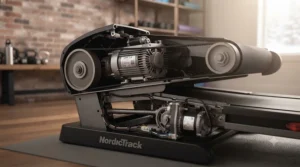
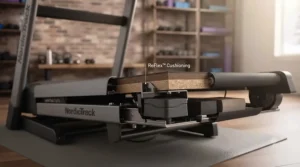
The Nautilus T618’s calling card is a genuinely capable 3.5 CHP motor paired with a full 20-by-60-inch running deck — dimensions and power that let it handle actual running workouts up to 12 mph, not just brisk walking, which separates it from several other entries here. The rebound cushioning system and 15% motorized incline round out a spec sheet that punches noticeably above its typical street price.
What the spec sheet won’t tell you, but reviewer testing consistently notes, is how much the Bluetooth connectivity opens up: the T618 pairs with the Nautilus Trainer app, syncs to third-party platforms like Google Fit and MyFitnessPal, and separately supports the free RunSocial app for simulated scenic-route running — three distinct connectivity paths most budget treadmills only offer one of. Aggregated customer feedback on the manufacturer’s own site cites a strong 4.6-out-of-5 rating across more than 80 verified reviews, with buyers repeatedly highlighting the dual backlit displays and generous 26-program library as standout value at this price tier.
Pros:
- ✅ 3.5 CHP motor genuinely supports running, not just walking
- ✅ Triple connectivity path: Nautilus Trainer, third-party apps, RunSocial
- ✅ Strong aggregated rating (4.6/5 from 80+ verified reviews)
Cons:
- ❌ Full retail pricing sits near the top of this list’s range
- ❌ Larger footprint than compact or under-desk alternatives
Depending on promotional timing, real-world pricing has ranged widely — from clearance events well under C$1,000 up toward the C$1,150-1,200 ceiling — so this is one where checking current price before purchase genuinely pays off.
7. ProForm Carbon T7 — best touchscreen experience near the ceiling price
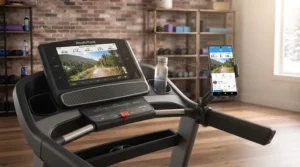
The standout is a 7-inch HD touchscreen with true iFit WiFi connectivity — not just Bluetooth pairing to your own phone, but a treadmill that can join your home network directly to stream instructor-led classes and, with SmartAdjust enabled, automatically change its own speed and incline mid-session based on the trainer’s cues. That’s meaningfully more advanced automation than anything else on this list offers.
Based on the spec comparison, the 2.6-2.75 CHP Mach Z motor and ProShox cushioning are solid rather than spectacular, but they’re not really the point of this machine — the point is the streaming experience, and on that front it delivers convincingly for the price. Reviewers consistently flag two honest trade-offs: the unit is notably heavy and can be genuinely difficult to move or assemble solo, and the screen itself is smaller than pricier NordicTrack siblings, making on-screen navigation a bit fiddlier. A common thread in aggregated buyer feedback is that this treadmill essentially requires an ongoing iFit membership to unlock its full value — treat that subscription cost as part of the real price tag, not an optional extra.
Pros:
- ✅ True WiFi-enabled touchscreen, not just phone Bluetooth pairing
- ✅ SmartAdjust auto-controls speed and incline during guided workouts
- ✅ Frequently available through promotional pricing well under retail
Cons:
- ❌ Full functionality depends on an ongoing paid iFit membership
- ❌ Notably heavy — expect a two-person assembly and delivery
Pricing has been seen anywhere from the mid-C$700s during retailer promotions up to around C$1,150-1,200 at regular price — worth watching for a sale given how close it sits to this list’s budget ceiling.
Top 7 Products: Specs & Value Comparison
| Product | Motor | Connectivity | Best For |
|---|---|---|---|
| Sperax 4-in-1 Walking Vibration Pad | 2.5HP | Bluetooth + Sperax app | Apartment walking & vibration recovery |
| Horizon Fitness T101 Connect | 2.5HP | Open Bluetooth pairing | First-time treadmill buyers |
| Sunny Health & Fitness SF-T7515 | 2HP | Bluetooth + free SunnyFit app | Auto-incline on a budget |
| XTERRA Fitness Sport Series | Mid-range | FTMS Bluetooth + XF Connect | Multi-app connected home gyms |
| Echelon Stride-6 | 2.5 CHP | Bluetooth + Echelon Fit app | Small-space, fold-flat storage |
| Nautilus T618 | 3.5 CHP | Bluetooth (Nautilus/RunSocial/3rd-party) | Genuine running workouts |
| ProForm Carbon T7 | 2.6-2.75 CHP | True WiFi + iFit touchscreen | Streaming, instructor-led classes |
This table makes the price-to-capability curve pretty obvious: the Sperax and Horizon T101 Connect sit at the accessible end, the Sunny SF-T7515 and XTERRA Sport Series occupy a genuinely solid middle ground, and the Nautilus T618 and ProForm Carbon T7 push right up against the $1,200 ceiling for meaningfully more motor power or screen tech. If running form and mileage matter most, motor rating should outweigh app polish in your decision; if streaming classes are the whole point, the opposite is true.
Benefits of a WiFi Treadmill vs Traditional Alternatives
| Factor | WiFi/App-Connected Treadmill | Traditional Non-Connected Treadmill |
|---|---|---|
| Progress tracking | Automatic via app | Manual logging required |
| Motivation tools | Classes, routes, leaderboards | None built in |
| Data portability | Syncs to Health apps/ecosystems | Stays on the console only |
| Best For | Data-driven or class-motivated users | Buyers who just want a simple belt |
The gap here isn’t really about the treadmill hardware — a non-connected deck can be just as sturdy — it’s about whether you’re the kind of person who stays consistent because a screen is tracking your streak. If you’ve abandoned a plain treadmill in a basement before, the app layer on these seven models is specifically designed to solve that motivation problem, not just add a gimmick.
Practical Usage Guide: Setup, Router Placement & Firmware/Software Updates
Getting a connected treadmill running well is less about the machine and more about the network it’s talking to. Router placement matters more than most buyers expect — a basement or garage treadmill that’s two floors and several walls away from your gateway will see laggier app syncing, delayed metric updates, and occasional dropped Bluetooth pairing, even on machines with strong specs. If your treadmill lives far from your router, a mesh extender node placed roughly halfway between the two, at hip height rather than tucked in a corner, solves the vast majority of connectivity complaints. The CRTC notes that Canadian home internet performance is generally measured by both download and upload speed, but for a treadmill’s app pairing, local WiFi signal strength in the room matters more than your overall plan speed.
Software updates are the other piece nobody mentions until something breaks. Most WiFi treadmill firmware updates ship automatically when the console detects a WiFi connection — this is where true WiFi models like the ProForm Carbon T7 have a real edge over Bluetooth-only machines, since Bluetooth-paired treadmills often rely on your connected phone’s app to relay firmware rather than pulling updates directly. In the first 30 days, resist the urge to skip an update prompt just to get a workout in faster; skipped updates are a common root cause of console freezes and syncing glitches reported across user forums. A simple maintenance habit — checking for updates weekly and keeping the treadmill’s app itself current on your phone — prevents most of the “my treadmill stopped syncing” complaints you’ll find in review sections.
✨ Don’t Miss These Exclusive Deals!
🔍 Take your home cardio setup to the next level with these carefully selected treadmills. Click on any highlighted item to check current pricing and availability. These machines will help you build a consistent workout routine your whole household can stick with!
Real-World Scenarios: Who Should Buy a Budget Connected Treadmill
Consider three realistic buyer profiles. First, the apartment walker: limited square footage, wants steps logged automatically, doesn’t need to run. For this person, a budget connected treadmill like the Sperax 4-in-1 or an under-desk-style unit makes far more sense than stretching toward a full-size machine they’ll never use at full capability. Second, the returning runner: someone getting back into 5K training after a break, who needs real motor power and deck length — this buyer should prioritize the Nautilus T618 or Horizon T101 Connect over screen size, since a weak motor will bottleneck training long before an app ever does. Third, the class-motivated household: multiple family members who stay consistent because of instructor-led content and leaderboards — this is exactly the buyer the ProForm Carbon T7 and its iFit ecosystem are built for, provided the ongoing subscription fits the budget.
Matching your actual behaviour pattern to the right tier avoids the single most common and expensive mistake in this category: buying more machine (or more subscription) than your habits will ever use.
Problem → Solution Guide: Fixing Common App Syncing Issues
If you’ve searched for a treadmill with app syncing under $1200 and immediately hit connectivity problems, you’re not alone — here are the recurring issues and their fixes. Problem one: the app shows “searching” indefinitely during pairing. Solution: most budget consoles need Bluetooth toggled off and back on, plus the phone kept within about three metres during the initial handshake. Problem two: workout data syncs late or duplicates entries. Solution: close other Bluetooth-dependent apps running simultaneously, since signal conflicts are a common cause on phones juggling smartwatches and headphones at once. Problem three: the console loses its WiFi connection after a power outage. Solution: most units default back to their last saved network automatically, but a manual re-pairing through the settings menu resolves it in under two minutes if not. Problem four: firmware update fails midway. Solution: never update over a weak signal — move the treadmill or a mesh node closer before retrying, since an interrupted update is the leading cause of console freezes reported in user forums. Problem five: the app drains phone battery quickly during long sessions. Solution: lower screen brightness and disable background location tracking within the app’s settings, since GPS polling for “scenic route” features is often the culprit.
How to Choose a WiFi Treadmill Under $1200 CAD
- Match motor power to your actual activity. A 2-2.5 HP motor comfortably covers walking and light jogging; serious runners should look toward 3+ CHP like the Nautilus T618.
- Decide if you need true WiFi or Bluetooth is enough. True WiFi (like the ProForm Carbon T7) enables direct streaming; Bluetooth-to-phone (most of this list) is lighter-weight and usually cheaper.
- Check the app’s cost structure before you buy the hardware. Free apps like SunnyFit keep your total cost predictable; subscription ecosystems like iFit or Echelon Fit add real ongoing expense.
- Measure your space, including fold depth. The Echelon Stride-6’s flat-fold design solves a real problem for small condos that bulkier folding treadmills don’t.
- Prioritize deck size for your height and stride. A 20-inch-wide, 55-60-inch-long deck (Nautilus, ProForm) suits taller runners better than shorter compact decks.
- Confirm your home WiFi reaches the treadmill’s intended spot. Router placement and signal strength affect app reliability more than most buyers expect going in.
- Read the warranty terms, not just the headline number. A shorter one-year warranty (Echelon) versus a lifetime frame warranty (Horizon) meaningfully changes your long-term risk.
Treadmill Console 101: Features That Actually Matter (And Those That Don’t)
Treadmill consoles are where marketing tends to oversell. A large touchscreen looks impressive in product photos, but if you’re not paying for the subscription that unlocks its content library, you’ve essentially bought an expensive clock. What actually matters: handlebar-mounted speed and incline controls (so you’re not leaning forward mid-stride to hit a button), a heart-rate-compatible chest strap input rather than only unreliable palm sensors, and — for WiFi models specifically — a console that pulls firmware updates automatically rather than requiring you to babysit the process. What matters less than it looks like it should: built-in speaker quality (most buyers end up using their own headphones anyway), and raw touchscreen size beyond about 7 inches, since your phone or tablet on a device holder does the same job for most Bluetooth-paired models. The Sunny SF-T7515‘s auto-incline buttons and the Horizon T101 Connect‘s dial controls are both good examples of console design prioritizing the features that get used daily over the ones that photograph well.
Budget Connected Treadmills vs Premium iFit/Peloton-Style Machines
The gap between something like the Sperax 4-in-1 and a premium NordicTrack or Peloton machine isn’t really about motor quality at the margins — several budget models here use perfectly adequate motors for their intended use. The real difference is ecosystem depth: premium machines auto-adjust incline and speed in real time based on an instructor’s live cues, stream in genuine HD, and often carry considerably more robust warranties. For a buyer who wants to walk consistently and track basic metrics, that premium ecosystem is mostly unused overhead. For a buyer chasing serious structured training with auto-adjusting workouts, the budget tier’s manual controls will start to feel limiting within a few months. The honest takeaway: premium machines win on features per dollar only if you’ll actually use those features; otherwise a well-chosen sub-$1200 model like the ProForm Carbon T7 captures a meaningful slice of that premium experience at a fraction of the entry cost.
What to Expect: Real-World Performance
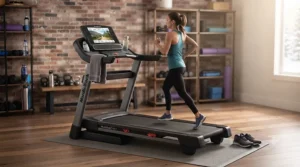
The basic mechanics of a motorized treadmill haven’t changed much in decades, but on paper, a 2.5 HP motor and a 20-inch belt look similar across three different brands — in practice, cushioning geometry and belt lubrication quality change how a run actually feels underfoot far more than horsepower alone. Expect the first two weeks to include a break-in period where the belt may need re-centering or re-lubricating, a normal maintenance step rather than a defect. Expect app syncing to be near-instant when your WiFi signal is strong at the treadmill’s location, and noticeably laggier if it isn’t — which loops back to why router placement gets its own section in this guide. Expect noise levels in the 45-60 decibel range for most models here, quiet enough for a shared living space but audible enough that late-night sessions in an apartment might annoy a downstairs neighbour.
Common Mistakes When Buying a WiFi Treadmill
The most common mistake is buying based on touchscreen size rather than motor capability matched to actual training goals — a gorgeous screen doesn’t compensate for a motor that struggles past a light jog. The second is ignoring subscription costs when comparing sticker prices; a C$1,000 treadmill with a mandatory C$40/month membership is not actually cheaper than a C$1,150 treadmill with a free app, once you run the annual math. The third is underestimating physical space, especially fold depth in condos and apartments. The fourth is skipping the warranty section entirely — a one-year electronics warranty on a treadmill you’ll use daily is a meaningfully different risk profile than a lifetime frame guarantee. The fifth is assuming “Bluetooth” and “WiFi” are interchangeable marketing terms; they describe genuinely different connectivity architectures with different real-world reliability trade-offs, as covered earlier in this guide.
Long-Term Cost & Maintenance
The purchase price is only part of total cost of ownership. Budget roughly C$10-20 a year in belt lubricant and basic maintenance supplies regardless of which model you choose — this is unavoidable across all seven treadmills here. The bigger variable is subscription cost: a free-app model like the Sunny SF-T7515 or Horizon T101 Connect costs nothing ongoing, while an iFit or Echelon Fit subscription can add C$300-500+ per year, which over a three-year ownership window can exceed the treadmill’s original purchase price. Weigh that math against how much the class content genuinely motivates you — for some buyers it’s the difference between using the treadmill three times a week and three times a year, which makes the subscription worth every dollar; for others, it’s an expense they never fully utilize.
Safety, Certification & Canadian Regulations
Before buying any home fitness equipment in Canada, it’s worth knowing that consumer products sold here fall under oversight from Health Canada’s Consumer Product Safety framework, and recalls do occasionally happen across the fitness equipment category. It’s a smart five-minute habit to check the Government of Canada’s centralized recalls and safety alerts database for your specific model before and after purchase, since manufacturers are required to report safety-related corrective measures. Beyond recalls, practical safety basics apply across every model on this list: always use the included safety clip, keep the area behind the treadmill clear for at least a metre, and ensure the electrical circuit isn’t shared with several other high-draw appliances, since motor treadmills can trip a shared breaker under load.
Frequently Asked Questions
❓ Do WiFi treadmills need a subscription to work?
❓ Can I use a WiFi treadmill without connecting it to the internet at all?
❓ What's the difference between Bluetooth and WiFi on a treadmill?
❓ How much does a decent WiFi treadmill under $1200 CAD actually cost to run per year?
❓ Is a budget connected treadmill worth it compared to a plain non-connected one?
Conclusion
There’s no single best WiFi treadmill under $1200 CAD — there’s a best one for your specific space, budget, and motivation style. If you want the closest thing to a premium streaming experience without crossing into premium pricing, the ProForm Carbon T7 earns its spot at the top of this list. If motor power and genuine running capability matter most, the Nautilus T618 delivers noticeably more machine for the money. And if square footage is your real constraint, the Echelon Stride-6‘s auto-fold design and the Sperax 4-in-1‘s compact frame solve that problem in very different ways. Whichever you choose, the app and connectivity features are only as good as the WiFi signal reaching them — so sort out router placement before you assume a firmware glitch is a hardware defect. Between honest motor specs, real aggregated review sentiment, and a clear-eyed look at subscription costs, you now have what most listings won’t give you: the full picture before you spend a dollar.
✨ Ready to find your fit? Compare these seven picks side by side and start building a routine that actually sticks.
Recommended for You
- 7 Best touchscreen treadmills under $2000 CAD (2026 Picks)
- Smart Treadmill Under $1500 CAD: 7 Best Picks for 2026
- Treadmill to Simulate Hills: 7 Top Picks Canadians Trust in 2026
Disclaimer: This article contains affiliate links. As an Amazon Associate, I earn from qualifying purchases. If you purchase products through these links, we may earn a small commission at no additional cost to you.
✨ Found this helpful? Share it with your friends! 💬🤗
